Florida Commercial Photography Prints featured in ARC Printing St. Petersburg

Two of my St. Petersburg photographs featured in the ARC Digital Copy Center Storefront - get them for your storefront today!Soon after I brought my photography business to St. Petersburg a little over two years ago, I met Mike of ARC Digital Copy Center (previously NGI).  He has been greatly helping my business ever since with his outstanding print products and even better customer service.  So when he contacted me wanting to license some of my local St. Petersburg photographs for the new location of his print shop, I was very happy to be able to return some of the favors he had long been doing for me.  Both images in the storefront above are of Coffeepot Bayou near Snell Isle.  Mike told me people are always stopping and posing to take photos of themselves in front of my photographs.   
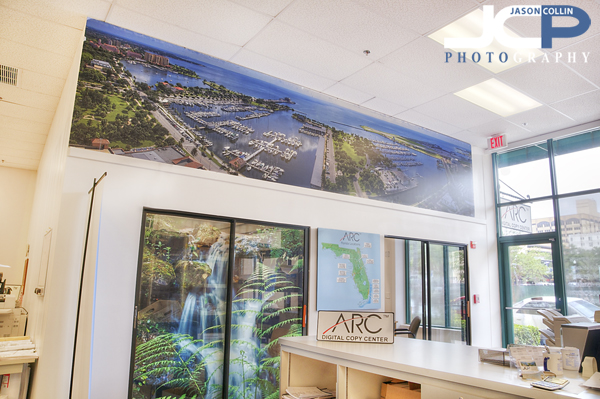
The panorama of the St. Petersburg waterfront is a huge 18 foot x 4 foot print! -- get it for your business or home today!Inside the print shop are two very large panel prints of panorama shots of the St. Petersburg downtown area (see larger images here).  The one in the photo above is 18 feet wide and 4 feet tall.  That size is available for purchase directly from me and will be printed right at ARC Digital Copy Center keeping all the business local to St. Petersburg.  A waterfall photograph I made at Rainbow Springs can be seen on the glass sliding door as well.
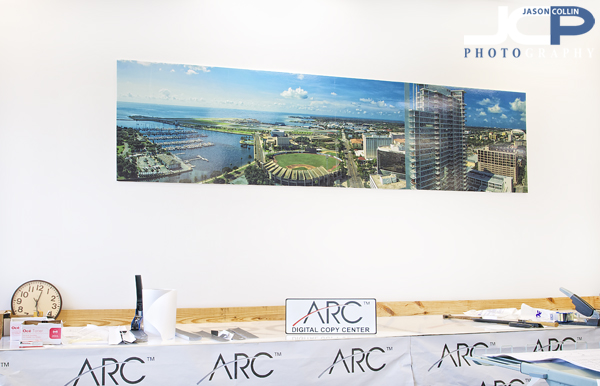
St. Petersburg downtown panorama featuring the new Signature Tower and Al Lang StadiumThe panorama seen above of Signature Tower and Al Lang Stadium has proven a popular print.  A couple that lives in Signature and whose condo is visible in the photo purchased a large print for display in their condo.  If you know someone who lives in Signature a print would make a great gift. 

Visit ARC in St. Petersburg:

DSLR Strobist Photography Lesson with Sarina & her Nikon D90

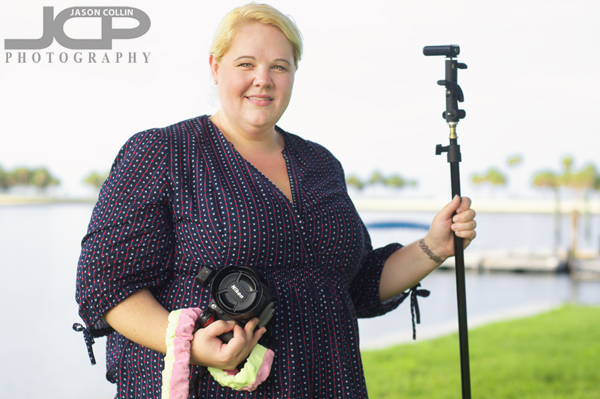
Sarina with her Nikon D90 & newly bought (on my advice) Yongnuo RF 602 radio triggers - St. Petersburg Photography LessonsA rain-free evening allowed me to show Sarina how to practice off camera flash technique at our own pace during her first of four DSLR Photography Lessons.  It was actually a 3-hour lesson, one more than the usual 2-hours, split evenly between shooting practice with her Nikon D90 and then digital photo editing practice.  Sarina has been around cameras and photography for several years, but wanted to add some formal shooting technique to her skill set.  I really stress following the same, methodical way of setting your DSLR for each shot in order to avoid hunting around the camera body wondering what should I do.  Regular readings of this blog know my technique is the following (in this order):

  • set aperture (then shutter speed if in manual mode)
  • set ISO
  • set white balance (WB)
  • set focus mode (AF) 

After outlining this methodology to Sarina we went behind the St. Petersburg Museum of History and applied it to setting up strobist shots.  The first thing to know about making off camera flash portraits is that the speedlight (flash) lights the subject and the camera's exposure settings control the ambient light.  Without knowing this, it is hard to make purposefully overall well exposed shots.

If all that were not enough we retired to a small Beach Drive cafe for a crash course in introduction to Photoshop CS5!  Sarina is wisely interested in learning how to edit her shots at the same time as learning how to shoot better shots.  I recommend this simultaneous learning in this blog post.  You can also get a PDF of the most common keyboard shortcuts I use in Photoshop CS5 here.  

By the end of our four lessons Sarina will have the knowledge to shoot off camera flash portraits with confidence, and edit them into a finished product as well.

  • Reserve your own 1-on-1 DSLR Photography Lesson with Jason today!
  • Learn more about the lessons
  • Browse past lessons with all of my students
  •  

    --Professional Model DSLR Photography Lessons now available!

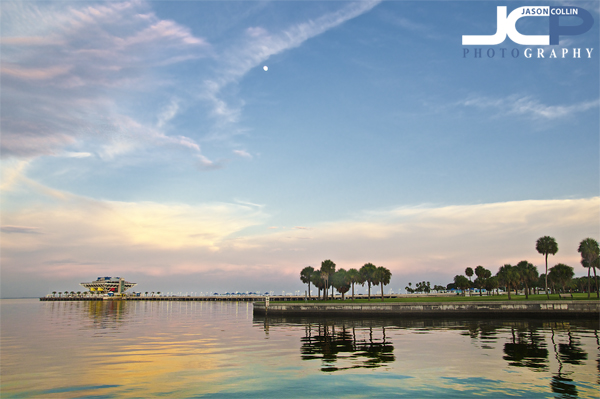
    Twilight Moonrise over The Pier St. Petersburg Florida landscape

    Moonrise over The Pier St. Petersburg Florida - SETUP: f/5.6 ISO 200 1/40th handheld 

    "Sometimes I can't believe in, I'm moving past the feeling again." -- Arcade Fire

    As society moves further and further into illusion, the order of the natural world ever gets pushed more and more into the background.  This is one of my main motivating forces as a photographer.  I want to preserve the natural world while it is still visible for me to see.  This is the only way I currently know how to stop time.  As I have said before, I make photographs first and foremost for myself to look at.  If others dig them, so be it.

    Every sunset to me seems the death of the world.  The sky closes its eyes.  Darkness falls.  Yet, in due time the world brightens again and, lo, there is another day.  

    Yet I remain drawn to every sunset I see.  There has to be some escape through it.  

    DSLR Photography Lesson with Golda & her Canon XTi

    Golda photographing in the twilight sky of downtown St. Petersburg during our DSLR photography lessonI am starting to really like having DSLR Photography Lessons start at 7pm as the final 30-minutes of the lesson carries us into twilight.  Such was the case for my first of four lessons with Golda in downtown St. Petersburg.  She has had her Canon XTi for years, but for years was just using the various auto-modes.  In a total 180, I had her shooting in manual mode most of the time and she caught on quickly.  Having never really changed any settings on her DSLR before, she remembered surprisingly well how to adjust aperture, shutter speed, ISO, white balance and focus mode in the ever changing light of a Florida sunset sky.

    Quick photo tip: flash lights your subject, aperture & shutter speed control ambient light in portraits like thisAs we made our way toward Vinoy Park to photograph The Pier and the the downtown St. Petersburg skyline we practiced some action shots and talked more about the relationship between aperture, shutter speed and exposure while in manual mode.  Once at Vinoy Park, we were treated to a typically vivid sunset and then later twilight sky.  Despite having no tripod, I showed Golda how to as steadily as possible hold a DSLR for a low-light landscape shot.  We finished with a quick practice of flash portraits which we will resume in our next lesson.

  • Reserve your own 1-on-1 DSLR Photography Lesson with Jason today!
  • Learn more about the lessons
  • Browse past lessons with all of my students
  •  

    --Professional Model DSLR Photography Lessons now available!

    DSLR Photography Lesson with Daniel & his Canon 60D

    Daniel practices an indoor shot with his Canon 60D & 70-300mm lens inside a St. Petersburg Panera Bread due to rainIt was a most unusual first DSLR Photography Lesson with Daniel last Friday evening.  In fact it was the first time I had an entirely indoors, sit-down photo lesson that was not focused on editing digital photos.  This was due to Daniel being short on time before he left for a south Florida vacation and Friday's all-day rain not allowing for the usual downtown St. Petersburg walkabout.  However, if anyone I had previously taught was more well suited for this type of lesson, then I cannot think of who.  

    The sit-down lesson style allowed Daniel to ask many technical questions about what settings for what situations.  We were able to delve into photography theory quite a bit.  There was a lot of info and numbers spoken of, but Daniel says he has an outstanding memory (and I believe him) so I really think he will be able to put all of the above to practical use in the field.  

    Despite being within the confines of a Panera Bread, we still had the opportunity for shooting practice (see above photo).

    Canon 70-300mm EF f/4-5.6 IS lens -- if you do not want to spend $2,000 then this is the Canon telephoto lens to getI taught Daniel how to use his Canon 70-30mm EF f/4-5.6 IS lens in low light, how to use it to produce a shot with bokeh, how to best it and what minimum shutter speeds he could expect to use and still get a sharp shot.  After that we popped up the flash on his Canon 60D to see how that affected the same shots we had previously took.  

    Once Daniel returns from vacation I look forward to our first in the field lesson and seeing how he applies all that tech and theory knowledge in practical shooting.

  • Reserve your own 1-on-1 DSLR Photography Lesson with Jason today!
  • Learn more about the lessons
  • Browse past lessons with all of my students
  •  

    --Professional Model DSLR Photography Lessons now available!

    DSLR Photography Lesson with Cherryl & her new Nikon D5000

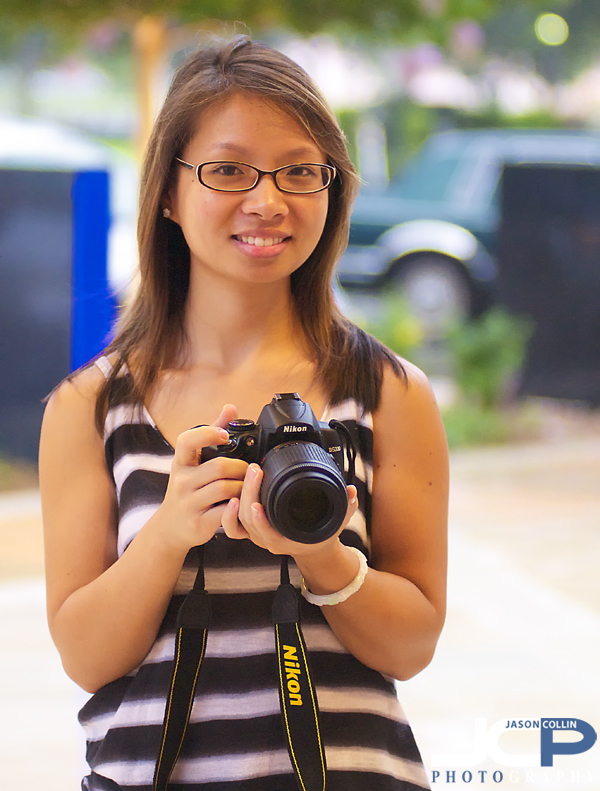
    Cherryl with her new Nikon D5000 during our first DSLR Photography Lesson in downtown St. PetersburgWith this point in the summer in Florida, one always has to keep an eye to the sky for rain.  I would say that for our first DSLR Photography Lesson together, Cherryl and I were 80% lucky.  There were definitely rainstorms all around downtown St. Petersburg, but for the first 100 minutes of our two-hour lesson they merely provided a pleasant overcast sky and a nice breeze.  During this time I introduced Cherryl to the photography terms one needs to know before pressing the shutter in any kind of purposefulness.  

    We also spent a lot of time practicing how to get the subject of a photograph in focus, both when moving and when not.  There is a bit of finger skill one must demonstrate with the shutter, specifically the ability to keep it pressed half way down the entire time during composing the shot, and not releasing it until you have the shot you want.  When photographing a moving subject one never releases the shutter from the half way position the entire time.  

    With further practice this skill set will come easier to Cherryl and I look forward to seeing some great soccer action shots!

    About the last 20-minutes of our lesson . . . well, the rain came but we took shelter in front of the Chihuly Museum and ended the lesson as I would have rain or shine, with some flash portrait practice.  I was impressed with the range of the pop-up flash on Cherryl's Nikon D5000. 

  • Reserve your own 1-on-1 DSLR Photography Lesson with Jason today!
  • Learn more about the lessons
  • Browse past lessons with all of my students
  •  

    --Professional Model DSLR Photography Lessons now available!

    Digital Photograph Editing Lesson with Chris

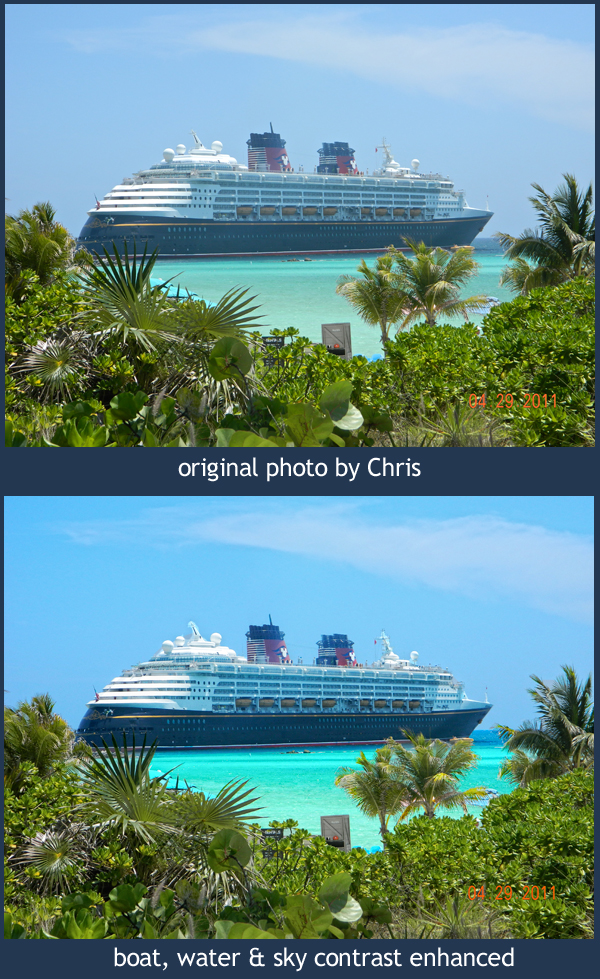
    Selective contrast edits in Photoshop can make a big impact on your photos - image used by permission 

    Chris took his first DSLR Photography Lesson on Tuesday where we went out into the field to practice shooting.  For our second of four lessons Chris wanted to learn digital photograph editing, which I believe is a very wise thing to do (read more here about my feelings on learning shooting & editing at the same time).

    The cruise ship is Chris' own photograph.  The original is well composed with good contrast in the foreground plants.  However, the cruise ship itself appears to be covered in a haze.  I taught Chris the following techniques using Photoshop CS5 to selectively enhance the cruise ship first, then the water, then finally the sky.

    For the Cruise Ship: 

    • Use the Quick Select Tool (W) to select the entire cruise ship
    • Go to Images --> Adjustments --> Brightness/Contrast
    • Increase contrast to your preference 

    For the Water: 

    • Use the Quick Select Tool (W) to select the entire water area
    • Go to Images --> Adjustments --> Brightness/Contrast
    • Increase contrast to your preference
    • Go to Images --> Adjustments --> Color Balance (Command-B)
    • Enhance the color sliders to your preference

    For the Sky: 

    • Use the Quick Select Tool (W) to select the entire sky
    • Go to Images --> Adjustments --> Color Balance
    • Enhance the color sliders to your preference

    The real key to this type of digital photo editing is the use of selected adjustments.  If we had not selected just the cruise ship, and instead universally adjusted the contrast on the entire photograph, then the plants would have suffered from too much contrast in getting the cruise ship right.  Of course making the sky look a deeper blue if done universally would make even the green plants start to look blue.  Therefore, the key is starting with the Quick Select Tool (W) and selecting only the area you want to adjust.  

  • Reserve your own 1-on-1 DSLR Photography Lesson with Jason today!
  • Learn more about the lessons
  • Browse past lessons with all of my students
  •  

    --Professional Model DSLR Photography Lessons now available!