Removing the photograph background but preserving foreground details for depth

In an attempt to further refine my own skills with using the "Refine Edge" function in Photoshop's Quick Select tool I made the above photograph of Kiki right here in the living room.  I knew beforehand I would be removing the background and painting in a new one.  I have really started to like using this technique lately, especially when adding a pure white background.  However, when including a full view of the subject, replacing the entire background be it with all white or any other color a lack of depth can result as the foreground and background are exactly the same.  As you can see in the finished version on the right some shadow and light remain on the floor around Kiki's paws.  After doing my usual edits to the image, the process I followed for making the digital backround was thus: 

  • Quick Select the floor area only & increase its contrast
  • Using the Eye Dropper tool select a color from the increased contrast floor (gray-ish in this case)
  • Increase the area Quick Selected to included everything except Kiki herself
  • Using the Brush tool at 100% paint the background up until the edge of the floor
  • Change the opacity to 40% and paint the floor area until a uniform gradient appears 

In am happy with the process I used to make the digital background in this case, but I would like to improve the smoothness of the gradient/transition of the background to foreground even more by using every smaller opacities to brush it in.
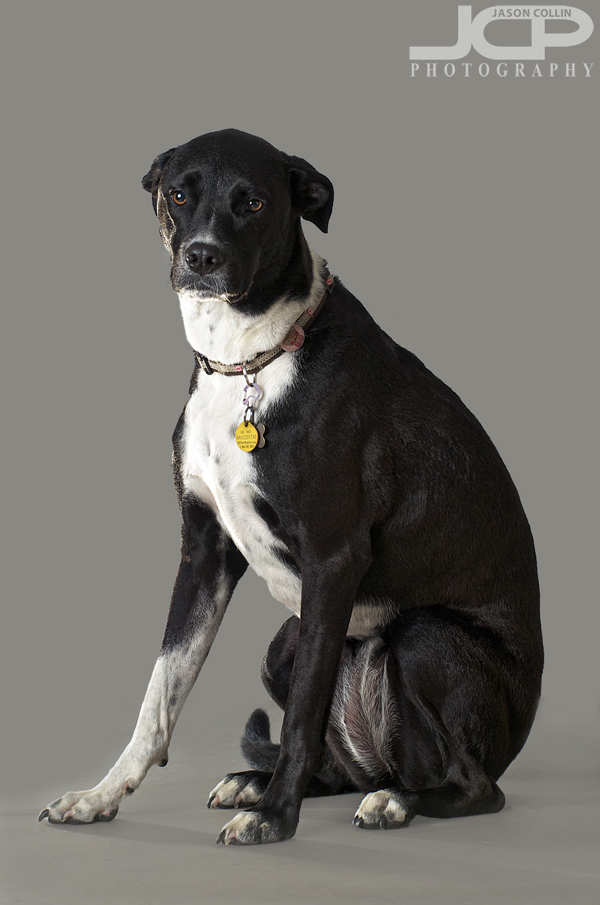
The finished final image of Kiki with gray background added in Photoshop leaving floor light and shadow for depthAlas there is no editing I can do to make Kiki not look like a sad puppy.  This was right before our usual dog park time and I think she was wondering why do I have to sit through this when we could already be on our way to the park!  Next time I will attempt her portrait in the morning.
Get images like these of your dog or cat or pet done right in your own living room . . . contact Jason today to reserve your shoot!

Ribbon Cutting Event at Ivy Ridge Living St. Petersburg Florida

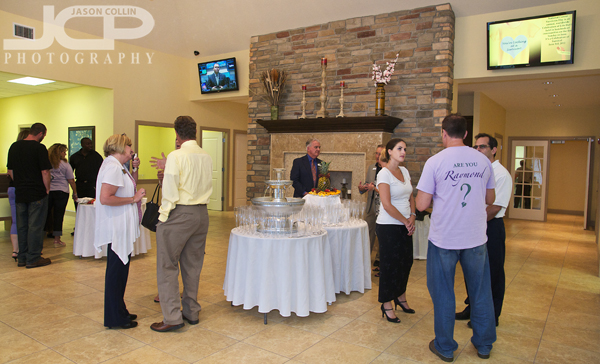
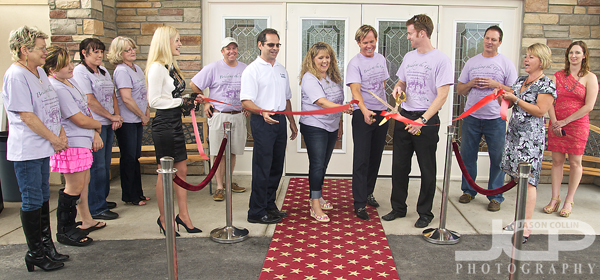
Ribbon Cutting at Ivy Ridge Living St. Petersburg Florida - Nikon D300 Tamron 17-50mm @ f/5.6 ISO 400 1/60th SB-800 @ 1/4 power on cameraPhotographing a ribbon cutting event like this one at Ivy Ridge Living (official website) in St. Petersburg creates a unique feeling inside me since I am more covering the event with photography than making set shots.  It is a free-flowing style of photography and when you have an event like this one that went indoors to outdoors several times, you really have to be on top of your settings, especially when using two cameras at once as I was.  It all makes for an exciting and challenging photography job.

Flag raising ceremony at Ivy Ridge Living in St. Petersburg - Nikon D300 Tamron 17-50mm @ f/8 ISO 200 1/100thI also switched between using external flash on camera to using available light like in the above shot when the situation called for it, although had I left the external flash on it would have had no effect on the shot anyway.  The biggest challenge for this shot was trying to get all the crowd watching in the frame as well as the complete flagpole without infinite space to back up into (I was almost in the street).  

Giving a speech at Ivy Ridge Living in St. Petersburg - Nikon D80 Nikkor 80-200mm @ f/4 ISO 400 1/200thIvy Ridge Living has a very friendly staff who were all very welcoming to me and made sure I got something to eat (3 cookies, one chocolate, one cupcake, a dozen crackers) and I saw several familiar faces in the guests who attended the event as other networking event regulars.  

Ivy Ridge Living in a brand new building - Nikon D300 Tamron 17-50mm @ f/5.6 ISO 800 1/40th SB-800 @ 1/4 power on cameraIvy Ridge Living is in a newly built building customized specifically for its time of memory care services.  The festivities for the afternoon ended with a concert for Brett Eldredge that really got everyone excited and also emotional as he has personal connections to the treatments the facility offers.

Canon XS 1-on-1 indoor light DSLR Photography Lesson with Suzanne St. Petersburg Florida

Suzanne relaxing after we finished our fourth 2-hour DSLR photography lesson together!When Suzanne bought her 4-pack of 1-on-1 DSLR Photography Lessons in October of last year, I did not imagine we would only have the fourth one now in June!  This, though, has allowed her to add a valuable new piece of equipment to her gear bag, a Canon 430EX II Speelite which she wanted to learn to use in indoor settings.  For that I have brought students to Tyrone Mall in the past, however, this time may have been the last time possible for it as we first got kicked out of Sears then later (thankfully at the end of the lesson) from the entire mall itself!  In my times there before no one has said anything to me.  Still, we were able to practice all I wanted to show Suzanne with regards to using the directional, or bounce, abilities of her external flash.  

We even found a closed store that had tall, black velvet drapes blocking its entrance that made for a studio-like background.  After that we used a nook hidden in a hallway to see how bouncing the light off a rear wall, a side wall and straight ahead effects light on the subject (in this case me!).  I pointed out that having shadows on the face of the subject is not always bad and the headshot practice we did should hopefully allow her to make a better one of her brother-in-law, that is if he does not take advantage of my own $99 headshot service!

I enjoyed my lessons with Suzanne and perhaps we will meet again for more advanced off camera flash and digital photograph editing lessons!

Canon 7D 1-on-1 DSLR Photography Lesson in St. Petersburg Florida with Jess

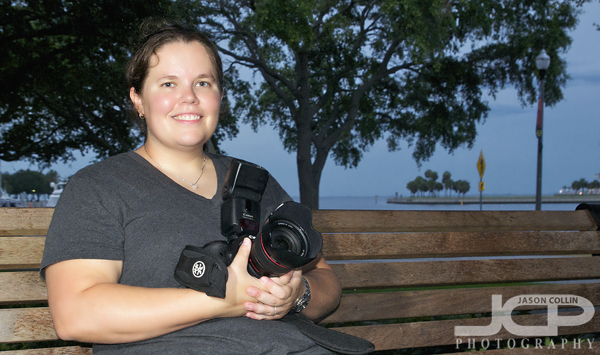
Jess with her Canon 7D and 24-105mm lens in North Straub Park during our DSLR photography lessonOn an overcast evening in downtown St. Petersburg I met Jess with her Canon 7D for our first 1-on-1 DSLR Photography Lesson.  She has taken group photography lessons before with a local photography organization, so she had pretty good knowledge of basic photography terms and ideas.  It's just that those group classroom classes suffer from one serious flaw - you do not actually get out and shoot with the instructor.  To me it's like taking a piano lesson, but not playing the piano during the lesson!  

So during our 2-hour lesson all out in the field with our cameras on, I helped Jess organize the knowledge she already had while showing her how aperture, shutter speed and ISO relate to each other when shooting in manual mode.  Before the lesson she had mentioned issues with getting in focus shots, so I made sure to switch her 7D from the awful auto-point selection to the very reliable single, center focus point method I use and trust myself, even though my own Nikon D300 has an available 51-point autofocus option.  

We ended with using her Canon 430EX II Speedlite for a brief intro to flash portrait making.  I even showed her how to use her Canon 7D to trigger the speedlite off camera using the built in lighting system with the pop-up flash!  After a very info packed 2-hours Jess now has a lot of new knowledge to use when photographing her baby son!

1-on-1 DSLR Photography Lesson in St. Petersburg Canon T1i with Kristin

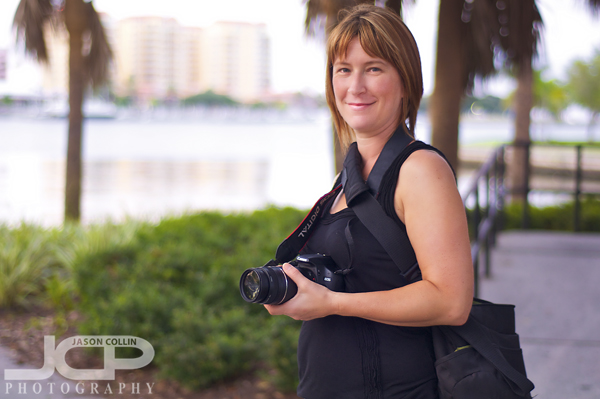
Kristin & her Canon T1i which we used almost exclusively in manual mode during our photography lessonCloudy skies made for an almost pleasant temperature during my first of four 1-on-1 DSLR Photography Lessons with Kristin and her Canon T1i in downtown St. Petersburg.  She has had her DSLR for over a year, but like many people that take my lessons, had pretty much only been using it in its various auto-modes.  DSLRs like to be told what to do, so I quickly got to work preparing her to at least shoot in aperture priority mode, but really to just make the step to full manual mode.  It is surprisingly easy to make that leap if one keeps in mind there are only five things that need to be set to make any given photograph.  

As in most of my first lessons with a student, we covered a wide range of topics from how to properly change lenses, to discussing what gear she might want to buy next, to creating shots with bokeh before ending with a little motion blur practice.  The lively goings on of downtown St. Pete on a Thursday evening (movies in the park) made for an enjoyable atmosphere to practice photography.  

Kristin took good notes and asked questions when she needed to so I expect she will absorb a lot of what we practiced tonight.  Our next lesson is already scheduled for next Thursday!

1-on-1 DSLR Photography Lesson 50mm lens in St. Petersburg Florida with Rebecca

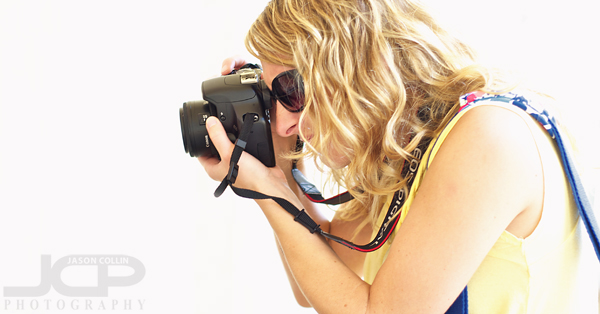
Rebecca using her new 50mm f/1.8 lens during our 1-on-1 DSLR Photography Lesson in St. Petersburg FloridaSince our second 1-on-1 DSLR Photography Lesson back in February, Rebecca has been pretty active visiting New York and picking up a new 50mm f/1.8 lens.  We used that 50mm lens exclusively during our third of four photography lessons in downtown St. Petersburg.  In our first two lessons we mostly used her 18-55mm lens on her Canon Xsi.  So we began this morning's 50mm lesson discussing what unique settings and subject matter best suite the lens.  Where before the largest aperture available to Rebecca was f/5.6, suddenly being able to go all the way to f/1.8 meant that creating bokeh was no longer a problem, however, since the depth of field was so shallow there was no more simple setting the focus and recomposing when making a shot.  Instead I instructed Rebecca to frame the shot how she wanted, then move the single focus point upon the part of the shot she wanted to be in focus.  Since sometimes the DoF could be as small as a few millimeters, recomposing even slightly after setting the focus could result in an out of focus subject.

We also stayed in manual mode the entire time which allowed me to teach Rebecca how to use her DSLR's meter to set the shutter speed and aperture to produce a well exposed shot.  Then I showed her how to manipulate those settings to purposefully produce an overexposed shot when so desired, as in the above shot I made of Rebecca.  She was standing in shade and the background was bright sunshine, so I just set the shutter speed to 1/60th to blow out the background but expose the subject (Rebecca).  This is a clever way to create a studio-like white background portrait in the middle of a sidewalk.

For our fourth lesson we will head out to The Pier for some bird in flight photography!

Family Beach Portraits at Sunset Beach Treasure Island Florida - Stanton Family

Visiting from Alabama the Stanton Family on Sunset Beach Treasure Island Florida - Nikon D80 Nikkor 80-200mm @ f/4 ISO 200 1/125th Strobist: SB-800 @ 1/2 power to frame left & SB-600 @ 1/2 power to frame rightAll day it was overcast.  Then at 5:30pm it rained.  However, by our family beach portrait session time of 7:50pm the skies were clear and the sun emerged providing an excellent backdrop for the Stanton Family's photographs on Sunset Beach, Treasure Island, St. Petersburg, Florida.  I have mostly been pretty lucky with weather regarding sunset photo shoots.  The streak continued yesterday.

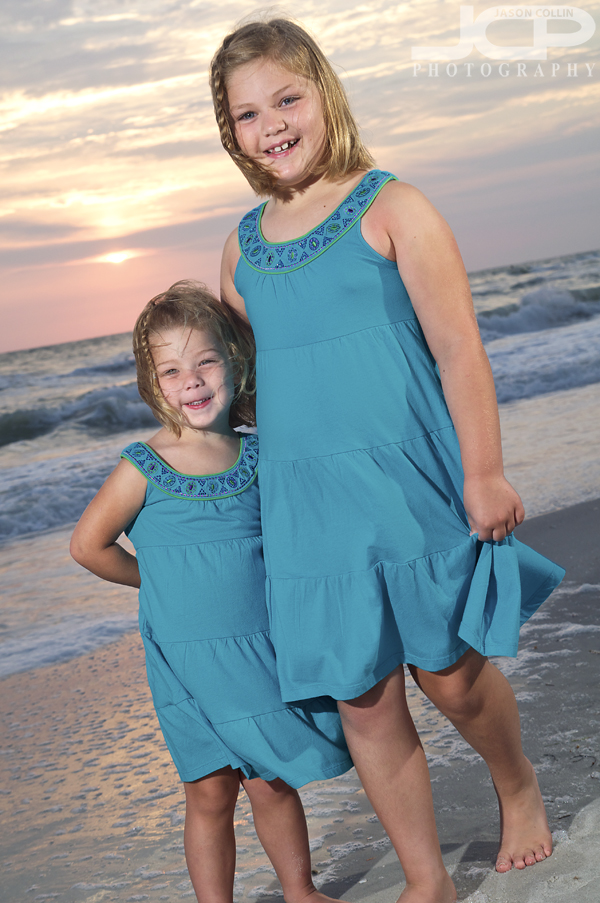
Sisters having fun on Sunset Beach, Treasure Island - Nikon D300 Tamron 17-50mm @ f/5.6 ISO 200 1/160th Strobist: SB-800 to frame left @ 1/2 power & SB-600 @ 1/2 power to frame rightI do not think I have ever seen kids remain as dry as the sisters above did when so close to the water's edge!  They were fun to photograph as they readily showed their sibling affection for each other.  I had my speedlights set in place to light them and dialed in the best shutter speed to pull in the remaining light from the sunset sky.

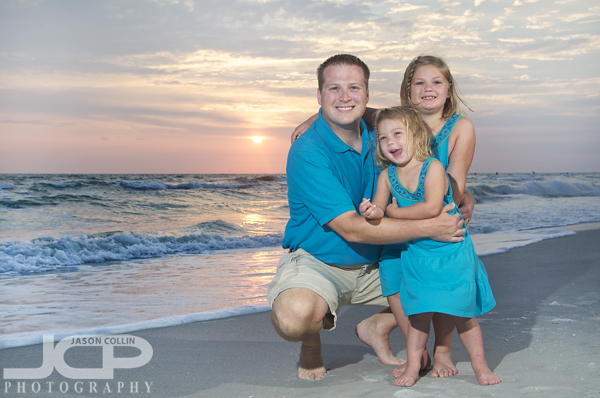
Father and daughters on Sunset Beach Treasure Island Florida - Nikon D300 Tamron 17-50 @ f/5.6 ISO 200 1/160th Strobist: SB-800 @ 1/2 power to frame left & SB-600 @ 1/2 power to frame rightTheir father joined them for a sunset portrait of their own.  He did a good job of corraling them as there were starting to become more active!  I just made sure no one jumped in front of the setting sun as I was composing the shot.

Mother and daughters on Sunset Beach Treasure Island Florida - Nikon D300 Tamron 17-50 @ f/5.6 ISO 200 1/160th Strobist: SB-800 @ 1/2 power to frame left & SB-600 @ 1/2 power to frame rightOf course mom had to get in for a photograph of her own with her daughters.  With the setting sun as a constant deadline, it is important to have your lighting and camera settings dialed in so that you can quickly and easily move in new people for the next shot when shooting a sunset portrait session.  You can note that I used exactly the same settings for the above three shots:  f/5.6 ISO 200 1/160th and the same strobist settings as well.  I believe I did not even change the speedlight positions either since both the mother and father got to the same eye level as their daughters.

It was a very fun family beach portrait session that went as smoothly as any I have ever photographed before and it was good to continue my lucky streak of avoiding rain!