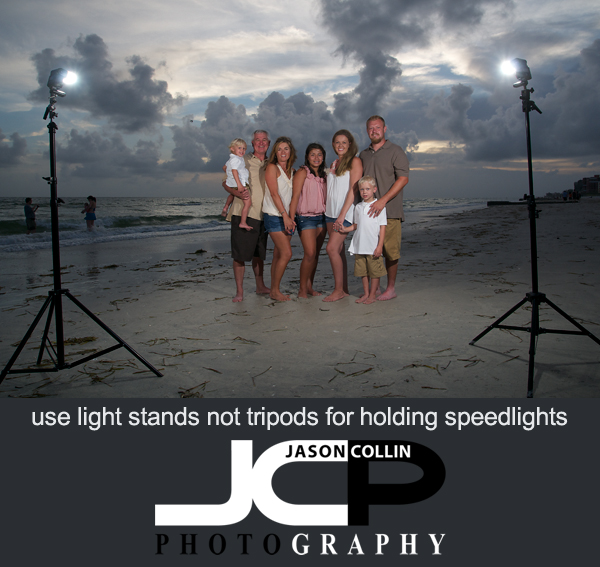
Photography Tip - Use a light stand for off camera flash strobist photography

I am a big believer in having the right tools for the right job.  Often one can get by using another tool, but there is nothing like having the exact one you need to just make things much easier on yourself.  Such is the case with light stands.  You could use a tripod to hold a speedlight as you might already have one of those, but using a light stand is just much better.  

A tripod has a much larger footprint than a light stand.  Most light stands can be extended to nine feet or higher, much higher than a tripod reaches.  A light stand is faster and easier to setup.  Light stands are also cheap, starting around $50 for a decent one.  The biggest reason of course is that you can put a umbrella holder head on a light stand so you can use light modifiers.  

One extra light stand tip, if you do buy one, make sure to check if it comes with a head unit.  Most do not come with this necessary attachment.  This is a true story . . . the first light stand I ever bought I had no idea about needing a head unit.  I had no umbrella or softbox, I was just going to use a speedlight with diffuser cap (as seen in the above example).  The top of a light stand does have a standard screw that allowed me to attach the speedlight's foot to.  However, there was no ability to tilt the light down!  I had to have someone tilt over the entire light stand for the speedlight to be pointed at the subject.  I went out and got a light stand head (umbrella holder it may also be called) shortly there after.

When photographing families on the beach, I always use two speedlights.  It allows for even light across everyone in group shots of four or more.

Lamborghini Aventador in black at Cars & Coffee St. Petersburg August 2013

Lamborghini Aventador in black at Cars & Coffee St. Petersburg Florida August 2013 meetup - Nikon D300 Tamron 17-50mm @ f/5.6 ISO 200 1/60th handheldA car enthusiast acquaintance told me about a monthly car meetup called Cars & Coffee (Facebook page for the meetups).  I had no idea the size of the event so when I showed up Saturday morning at 8:25am (event schedule says 7am to 9am) I was very surprised to see hundreds of cars there, many of which were already pulling out to leave!  As I walked from my car into the main area I saw most major current model supercars pass by.  I never thought people would leave early and I thought thirty minutes would be more than enough to check everything out, but I was totally wrong.  Still, I was able to talk to a few people and perhaps even make a few new car photography contacts.

The car highlight for me was seeing a Lamborghini Aventador in person for the first time.  There were a lot of people around it naturally and the above shot was the cleanest one I could get of it.  It is so low to the ground I felt like I could jump over the car!  I look forward to the September meetup and know that I have to wake up much earlier next time!

Resize photographs to exact sizes with Photoshop for best online presentation on Facebook & Linkedin

What is the final step in editing digital photos that you will display online?  Resizing.  This is a very simple thing to do, but very important for presenting your photographs online in the best possible quality.  Just uploading full resolution images is very rarely the way to go for a number of reasons.  One is that it takes up a lot of space and many websites do not allow large file uploads.  Secondly, who knows what kind of recompression and resizing websites use in presenting your images.  This is why every single image you see of mine online has been exactly resized in Photoshop to the best possible size for the location it is displayed on.  

In the above screenshot you can see the Photoshop Image Size dialogue box.  The Mac keyboard shortcut to get to it is: OPTION-CMD-I or you can go into the menus:  Image --> Image Size.  I use pixel count to resize my images.  Every image in the blog section of my website (you are looking at it now) is resized to 600px on the width maximum because that is what fits within the body portion of the blog page.  Photoshop will keep the height in proportion automaticaly when I type in 600px for the width, see it chose 399px for the height in the above example.

There is no loss in image quality when resizing in Photoshop, which is why I use it for all my images.  If I just let Squarespace (my content management system) resize a much larger image for me, that will eat up my alloted storage space much quicker and worse, may not display my photographs in maximum quality.  There could be pixelating resulting from poor resizing.
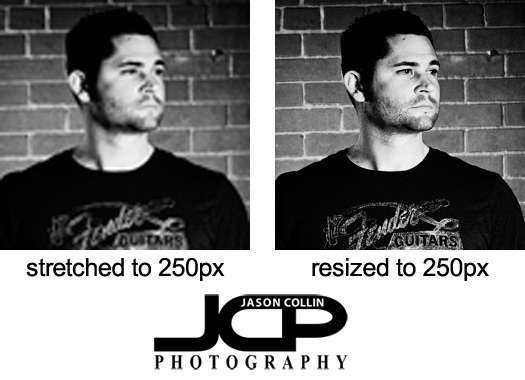
In the headshot example above, each one is 250px on the width.  The image on the left shows what can happen if a smaller image is stretched to a larger size.  A lot of detail in the image is lost.  The headshot on the right was resized from the original photograph to exactly 250px and looks like the full resolution image in detail and quality.  The same poor image quality can result if you upload a huge image then compact it into a much smaller space.  This has happened with past headshot clients actually.  Most website profile photos are only about 200px on the width, which is the case for popular networking site Linkedin.  So when the client uploads their full resolution headshot (2000px or larger) and Linkedin tries to squeeze that into just 200px worth of space, the image will look horrible.  In the case the client did not have resizing skills, I sent them a 200px version of their headshot.  

Facebook is a photograph displaying disaster.  They remain the only site that degrades image quality that I know of.  It is preposterous that they do it when no other photo intensive site does.  Still, it is an important place for me to show my work so I do upload my photos to it.  Even though I resize my images in Photoshop to Facebook's exact required dimensions, their resampling engines go to work on my images reducing their image quality.  

Since adding the feature to display a cover image to a Facebook profile, I have seen an increase in strangely sized and proportioned images on Facebook.  The exact dimension required is 851x315.  Nice even numbers you can remember easily right?

So how can you resize your photo to fit a Facebook Cover image space and minimize the image quality reduction Facebook will apply to the image anyway?  Load the image in Photoshop, choose the Crop Tool, and enter in the pixel dimensions of 851x315.  Select the area of the photograph.  Since 851x315 is a strange proportion, you will almost never be able to fit your whole photo in that area.  Once you crop the image to the right ratio, you still have to resize it.  Then go into Image Size as described above and type in 851 for the width.  Now you can upload a photo that will fit perfectly into the Facebook cover image spot, but you will notice the quality reduction applied despite this.

Sunset Beach Treasure Island Florida Family Beach Portraits with 8 kids!

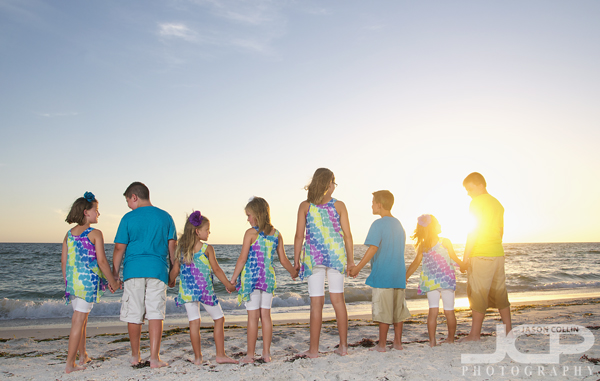
8 kids on Sunset Beach Treasure Island Florida - Nikon D300 Tamron 17-50mm @ f/5.6 ISO 200 1/160th - Strobist: SB-800 to frame left & SB-600 to frame rightVisiting from Ohio, I got a call about a beach portrait session from Jill who wanted portraits on Sunset Beach on Treasure Island Florida of all of her family, which included 8 kids and 12 people total!  As you can see, all the kids were thankfully about the same age and they all got along so it was much easier than I thought to get all 8 kids in multiple shots over our nearly 90-minutues of actual shooting time.

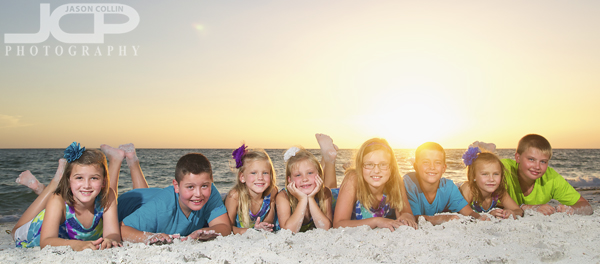
All 8 kids rolling in the sand on Sunset Beach Treasure Island Florida - Nikon D300 Tamron 17-50mm @ f/5.6 ISO 200 1/250th - Strobist: SB-800 to frame left & SB-600 to frame rightThe family wanted the kids to be the focus of the shoot, so most shots only featured the children.  The kids themselves had plenty of ideas for shots and were willing to get down on the sand, which meant I also had to get on the sand to get to their eye level for the above shot.

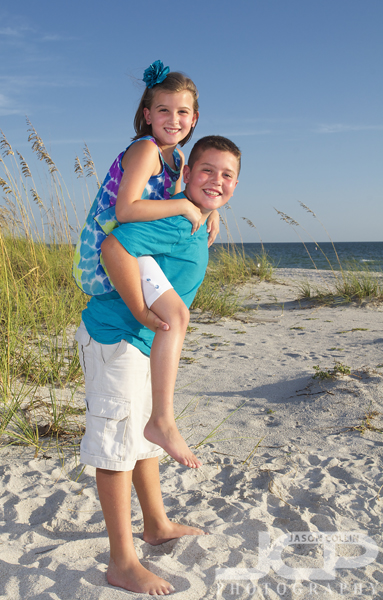
Getting a ride from her brother on Sunset Beach Treasure Island Florida - Nikon D300 Tamron 17-50mm @ f/11 ISO 200 1/200th - Strobist: SB-800 to frame left & SB-600 to frame rightHe and I were both thinking the same thing when I suggested he give his sister a piggy-back ride for their portrait with the tall sea grass as a background.

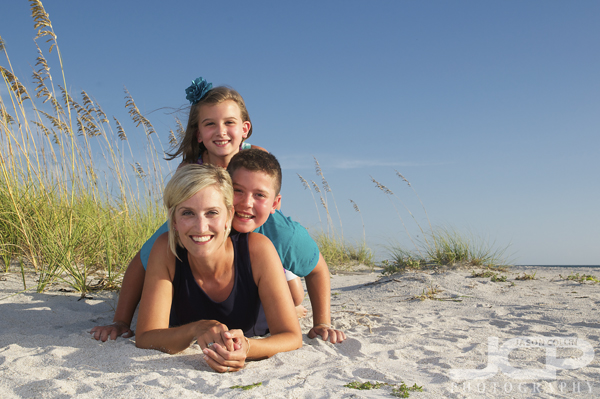
Mom and her two children on Sunset Beach Treasure Island Florida - Nikon D300 Tamron 17-50mm @ f/11 ISO 200 1/200th - Strobist: SB-800 to frame left & SB-600 to frame rightWhen mom is willing to get on the sand and let her kids sandwich her, that is making a sacrifice for the photograph!  I was on the sand too and was glad to have a chance to try this more dynamic beach pose.

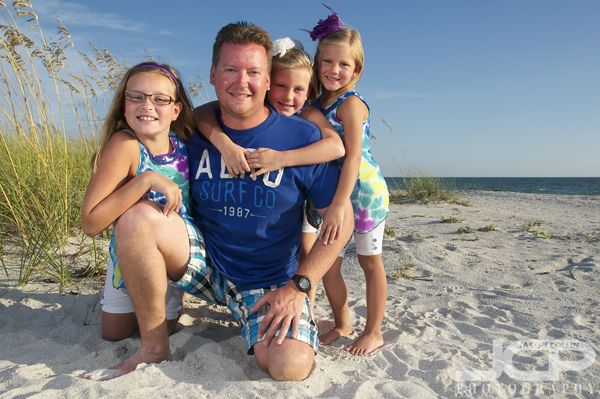
Dad and his three daughters on Sunset Beach Treasure Island Florida - Nikon D300 Tamron 17-50mm @ f/11 ISO 200 1/200th - Strobist: SB-800 to frame left & SB-600 to frame rightMy idea for this shot of a father with his three daughters I wanted to show all the girls surrounding their dad and being as close to him as possible.  Dad was set first as the anchor of the group and then each daughter wedged in next to him.  

St. Petersburg Florida Real Estate Photography Lakewood Estates Neighborhood Home

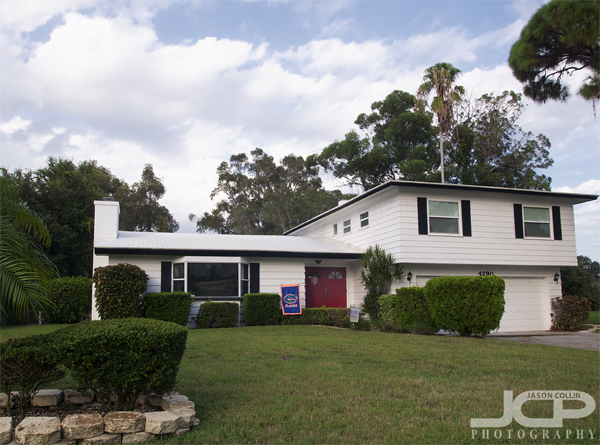
This home available in Lakewood Estates in St. Petersburg Florida Real Estate Photography - Nikon D300 Tamron 17-50mm @ f/11 ISO 200 1/50th tripod mounted with cable releaseI went to Lakewood Estates yesterday evening in St. Petersburg Florida to make commercial real estate photographs for long-time client Crown Group Realty.  I had never been to this area of St. Pete before and found it to have a bit of a northern feel with its forests and even slight, very slight, ground elevations, as seen in the front yard of the home above.  There is also a golf course winding through the neighborhood.

Open kitchen & dining room in this home St. Petersburg Florida Real Estate Photography - Nikon D300 Tamron 17-50mm @ f/8 ISO 200 1.3 sec tripod mounted with cable releaseA large breakfast bar with a white granite counter top stretches from the kitchen to the edges of the dining room and the living room creating a nice flowing open space.  

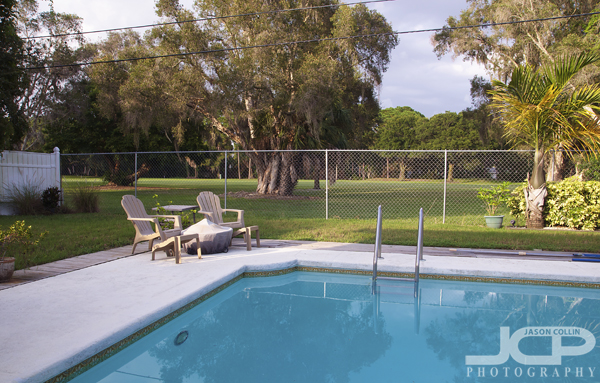
Pool home on a golf course St. Petersburg Real Estate Photography Florida - Nikon D300 Tamron 17-50mm @ f/11 ISO 200 1/40thThe backyard had a good sized pool with a view of a golf course.  While out making this shot I was a bit startled as there were actually people playing golf at 7pm on a Monday evening and often hitting the trees making unusual sounds I was not expecting!  I made a few shots around the pool keeping my ears open for any "fore!" calls.  

Commercial Business Headshot Optometrist St. Petersburg Florida VIP Eyecare with Dr. Henri

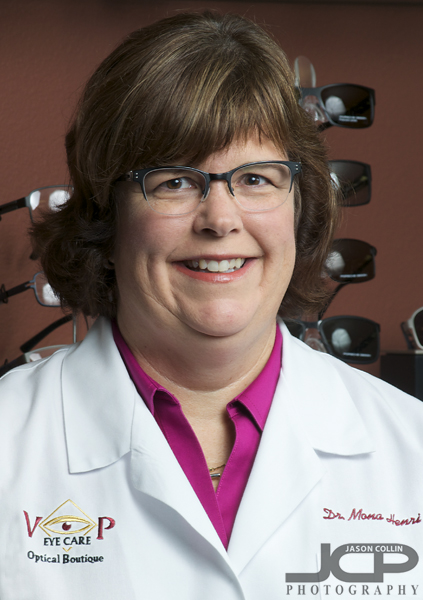
Commercial business headshot for Dr. Henri of VIP Eyecare St. Petersburg Florida - Nikon D300 Nikkor 80-200mm @ f/10 ISO 200 1/60th - Strobist: SB-800 @ 1/2 power in 43" brolly to frame front right & SB-600 @ 1/2 power in 43" shoot through umbrella to frame rear rightThis morning I continued my business relationship with VIP Eyecare in St. Petersburg Florida making a headshot for Dr. Henri.  In the past I have photographed several events there as well as making commercial interior photos of their new location for print marketing materials and their website.  For the headshot itself, they wanted to make sure the VIP logo was visible on Dr. Henri's jacket, along with her name, and then have the background show some of the product they carry, i.e. glasses.  Since Dr. Henri was wearing glasses herself, I had to be careful that none of my speedlights were showing up as glare in her lenses by placing both lights high above her.  For the perspective, I shot from one step up on a folding ladder.  

Dr. Henri was a great model being able to recreate her smile as I adjusted the two speedlights I was using in the tight space between eyeglass shelves and getting the best composition possible to achieve all the details they wanted in the headshot.  It is always fun to visit VIP Eyecare and say hello to everyone there and I very much appreciate them continuing to be my most loyal commercial photography client.

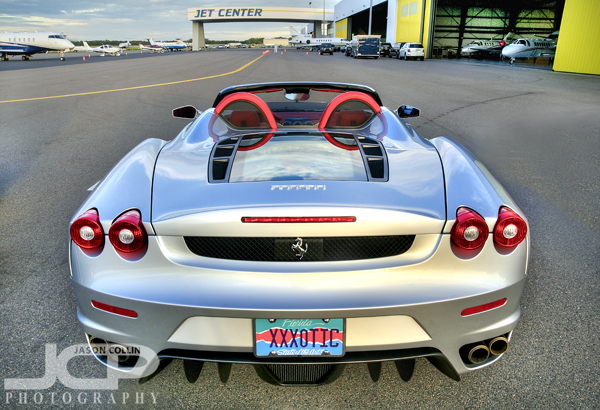
Silver Ferrari F430 Spider Tampa Car Photography HDR Tampa Jet Center

Ferrari F430 Spider at Tampa Jet Center - Tampa Car Photography - Nikon D300 Tamron 17-50mm @ f/11 ISO 200 7-exposure HDR tripod mounted with cable releaseThe scene in this photograph represents a certain kind of dream, one where you drive up in your Ferrari and hop onto a private jet that whisks you off to some exciting locale, no mess no fuss.  What does it make you think of? dream of?

I photographed this silver Ferrari F430 Spider at the Tampa Jet Center during an event there last year.  I wonder also what the custom license plate implies??