Corvette great subject bad background digital photography editing tip

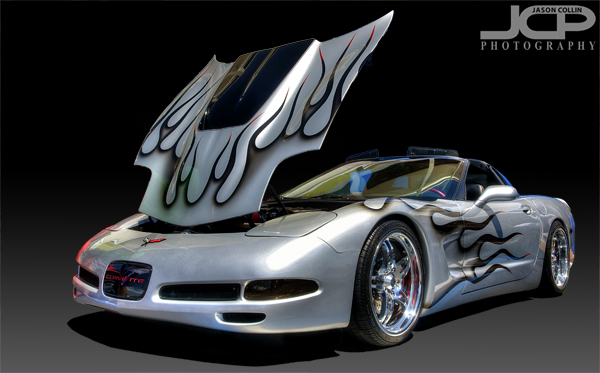
Final fully edited custom silver Corvette - Nikon D300 Tamron 17-50mm @ f/11 ISO 200 5-exposure HDR - black gradient background added digitallyWhat if you have a great subject to photograph, but a terrible background?  I tell my DSLR photography students that assuming you have a good subject, then what makes or breaks a shot, what sets it apart is the light (lighting) and the background.  For this shot the subject is a really cool custom Corvette.  However, the background was horrible and I could not use depth of field techniques to just turn the background into beautiful bokeh because the subject was too close to the background, at least if I wanted to photograph the entire car, which I did.  So, to make the shot usable I opend up my digital photographing editing toolkit.
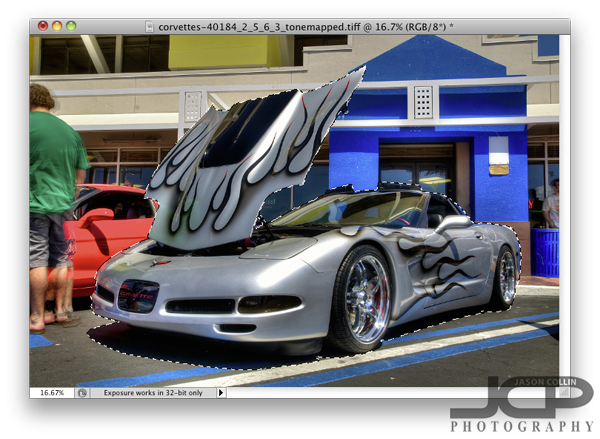
So what did I do first after processing the HDR image and do a few little minor edits?  I loaded the photo in Photoshop (I still use CS5) and chose the Quick Select (W is the keyboard shortcut) tool.  The background looks very busy and it might seem like selecting the Corvette would be difficult, but there are several factors why it was not too tedious.  One is the Corvette is a fairly distinct, blocky object, no lone thin parts or openings.  Second, none of the surrounding colors are similar to the Corvette itself.  The hood did take a little fine tuning to get selected, but other than that it was not too bad.  Notice I selected the naturally existing shadow under the car too.  Once finished I clicked on the Refine Edge option up in the Quick Select menu bar.
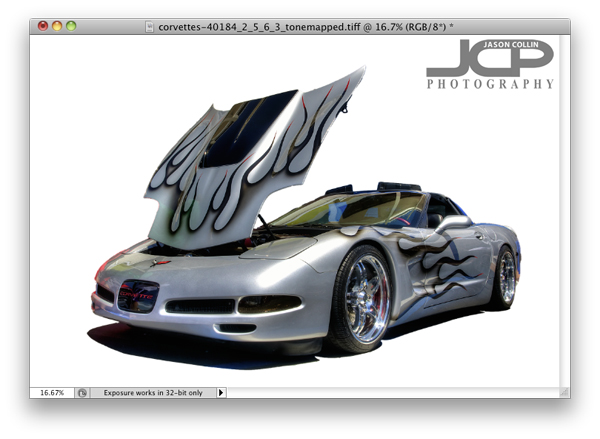
In the Refine Edge window you can clean up the extra bit of edging that you do not want as well as export just the selected subject to a new layer, which is what I always do.  Once that is done, I add a new layer to use as a background that I can paint any color.  I usually choose white first to see how it looks and also to make sure I really cleaned up all the edges.  I liked the white background, so I saved a JPG from the PSD project.
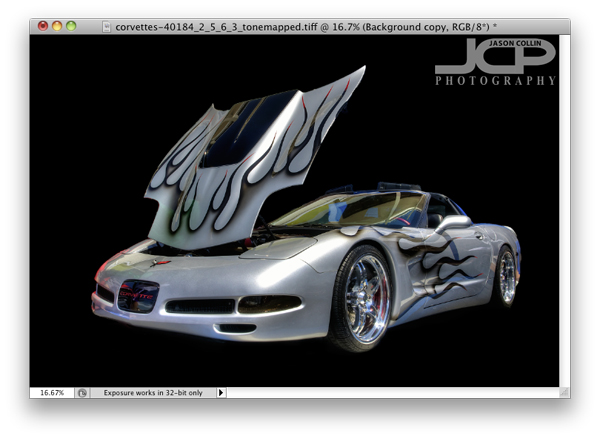
Next I just painted over the white background with the Brush Tool at 100% opacity black.  Right away I liked the black background better as I thought it made the silver Corvette pop out.  The black background caused the shadow to become invisible and kind of made the shot look a little two dimensional, so the final touch was adding a 40% opacity vertical gradient only from the mid-height point of the image.  

This process can of course be used for any subject with a variety of digital or real backgrounds.  So the next time you see a really cool subject, but are disappointed by the background, be sure to still make the shot in the field knowing you can using a few Photoshop techniques to produce a final image you will be happy with.

Photographing clouds is always good

Just clouds -- Nikon D300 Nikkor 80-200mm @ f/11 ISO 200 1/200thI was up early this morning not necessarily on purpose.  Rain had passed by recently.  Everything was still early morning tranquil.  I saw a great egret standing on the dock not looking to pleased about having been rained on.  I took my Nikon out to get a shot of the bird in the still very good morning light.  I approached slowly, but the egret was having nothing of it and flew off.  

So now I was standing there with camera in hand and seemingly nothing to photograph.  Fortunately, I really like to photograph clouds and to the west were some getting touched by lingering sunrise beams.  I changed my settings in a quick moment from the ones I was hoping to use to photograph the great egret to the best settings for getting a detailed cloud image.  

Instead of heading back inside with nothing, I have a simple cloud image to look at today and help me daydream and wonder what lies beyond their puffy peaks.

The St. Petersburg Pier Night Light Reflection Florida fine art images

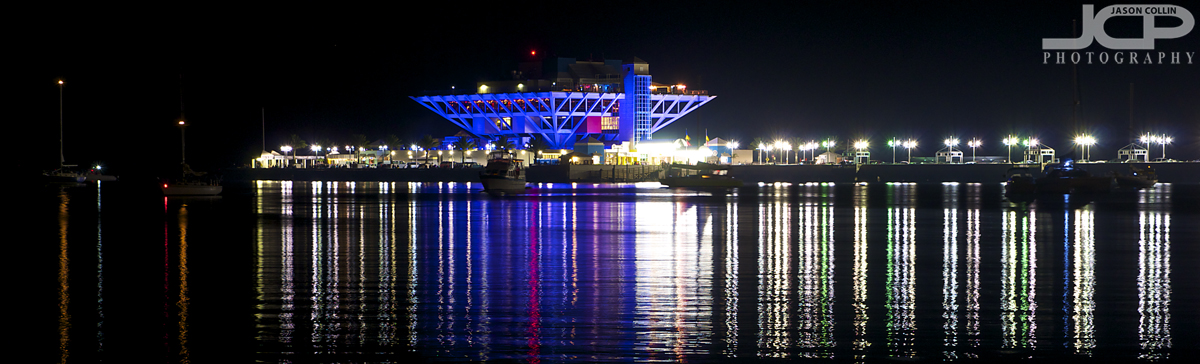
Click for larger version of The Pier night light reflections available for fine art print or commercial license - Nikon D300 Tamron 17-50mm @ f/8 ISO 200 4.3 sec tripod mounted with cable release 

The Pier of St. Petersburg, Florida presents at this time a unique opportunity for local photographers.  It is by far the city's most recognizable landmark, but it is scheduled for demolition in one year's time.  A part of me does not necessarily believe in the end it will be razed because what is slated to replace it, a structure called "The Lens," is so preposterously fantastic I cannot imagine such a thing existing just off the modest St. Pete waterfront.

The odd shutter time of 4.3 seconds for this shot is due to shooting in bulb mode.  I took a test shot and then based on feel kept the shutter open how long I thought it would need.  A more scientific way would have been to use a stopwatch, but for exposures of only about 4 seconds a rough estimate counting in your head is good enough.

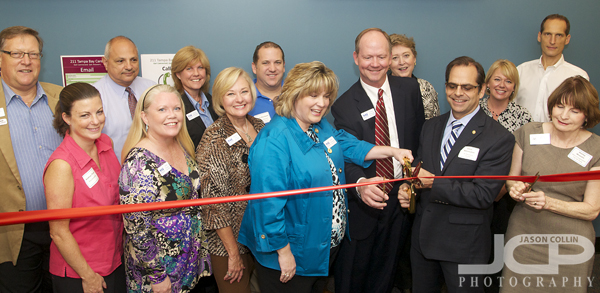
Clearwater Ribbon Cutting Event for 211 Tampa Bay Cares

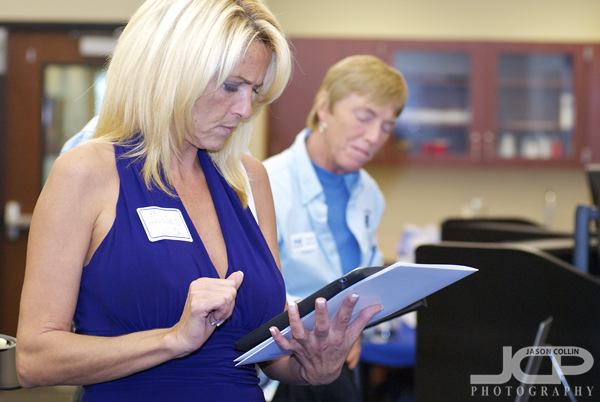
A festive ribbon cutting at 211 Tampa Bay using many pairs of scissors! - Nikon D300 Tamron 17-50mm @ f/5.6 ISO 800 1/60th SB-800 on hotshoe @ 1/4 powerOne of my favorite types of photography jobs I get our ribbon cutting events.  This Wednesday I got to photograph no less than two ribbon cuttings for 211 Tampa Bay as they held a morning event and an afteroon one too.  The morning was hosted by the St. Petersburg Chamber of Commerce so I got to see some old friends from there and other networking regulars.  It was really tight quarters for where they wanted to do the ribbon cutting.  I had to stand about 4 feet up on a ladder to get high enough to clear a wall of cubicles to make the above shot.

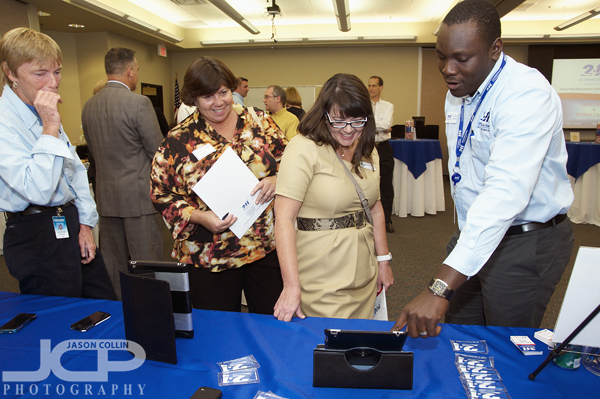
There were a lot of iPads and iPhones featuring the 211 Tampa Bay app to try out - Nikon D300 Tamron 17-50mm @ f/5.6 ISO 800 1/60th SB-800 on hotshoe @ 1/4 powerI immediately saw that 211 Tampa Bay utilizes a lot of tech access via apps for the iPhone and iPad.  They had some staff members giving demonstrations with chances for visitors to get hands on with the apps themselves also.

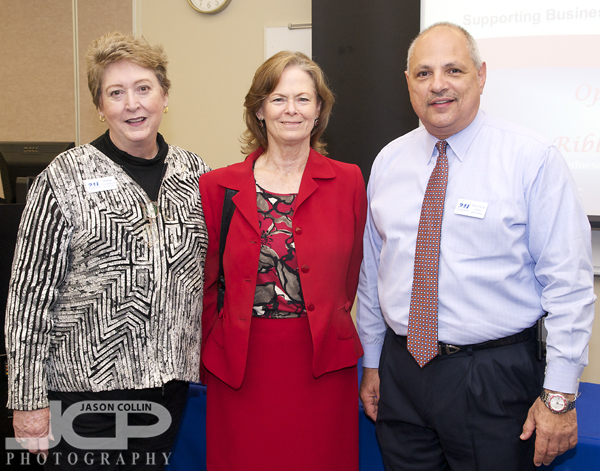
The Mayor of Largo Patricia Gerard (center) - Nikon D300 Tamron 17-50mm @ f/5.6 ISO 800 1/60th SB-800 on hotshoe @ 1/4 powerThe Mayor of Largo Patricia Gerard attended the morning ribbon cutting ceremony along with 211 Tampa Bay board members.  Everyone wants a photo op with the mayor!

Sharing laughs at the 211 Tampa Bay ribbon cutting event - Nikon D300 Tamron 17-50mm @ f/5.6 ISO 800 1/60th SB-800 on hotshoe @ 1/4 powerThere was a lot to do at this event from using tech like the iPad to taking a tour of the call center, and of course eating and having laughs with friends.  Everyone with 211 Tampa Bay was very friendly.  It was a good atmosphere to shoot in.

I resisted using an iPad so I did not feel the need to get one of my own! - Nikon D300 Tamron 17-50mm @ f/5.6 ISO 800 1/60th SB-800 on hotshoe @ 1/4 powerI look forward to continuing to be the photographer for 211 Tampa Bay.  It is always nice to be able to photograph a fun event, expand my business network and of course provide the client with images they will enjoy for years to come.

Off Camera Flash Strobist DSLR Photography Lesson with Julie & Rebecca

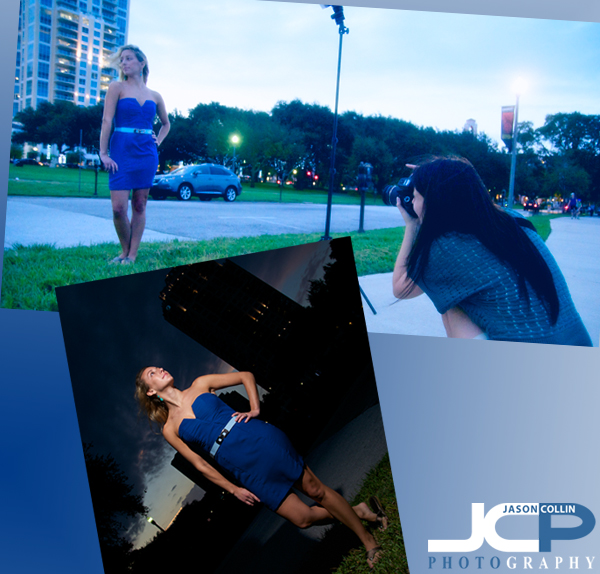
Julie practices off camera flash as her friend, Rebecca (also my photo student), does an excellent modeling job for her!Julie has started her second 4-pack of 1-on-1 DSLR Photography Lessons with me and is really ready to step up her photography skills!  She has invested in complete setup for off camera flash, or strobist, photography.  This actually does not require a large financial investment (assuming you already have a speedlight).  To join the strobist portrait world it just takes a light stand, head for the light stand, radio triggers and maybe a brolly or other light modifier.  All that can be had for about $125.  Just add your DSLR & speedlight, and of course my photography lessons, and you can start making your own amazing portraits (see above).  

For this lesson in downtown St. Petersburg Julie brought along her friend Rebecca, who is also taking my photography lessons as well!  She was a very patient model as we setup up several different shots in North Straub Park and along the waterfront.  You can see the very simple one speedlight setup we used with just a diffuser cap on (as it was too windy at this spot for the brolly) in the image above and a resulting dramatic portrait.  I look forward to showing Julie how to become an even better strobist photographer in our next lesson!

1/500th sec minimum shutter speed for action shots moving subjects - photography tip

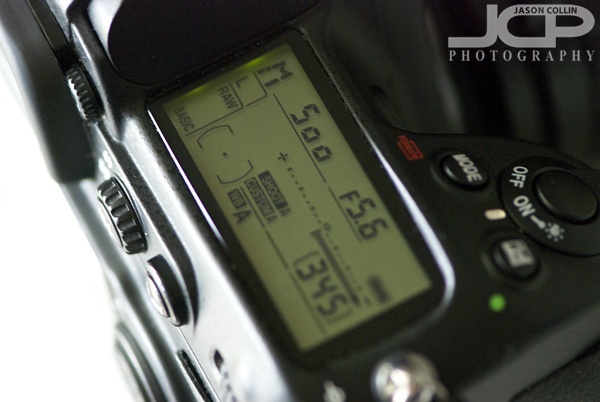
1/500th of a sec is the minimum shutter speed I feel comfortable shooting action shots with.When you shoot in manual mode or shutter priority mode, you have to set the shutter speed on your DSLR.  Of all the things you can set on your DSLR, shutter speeds have the most choices.  On my Nikon D300 I can choose from the fastest setting of 1/8000th of a second to essentially infinity (bulb mode).  So how to decide which shutter speed to use?  This week's photography tip is for choosing a minimum shutter speed for action shots or shots with moving subjects. 

  • 1/500th of a second minimum for any kind of moving subject/action shot

For me, I only feel comfortable with a minimum of 1/500th of a second when photographing anything moving.  You may be able to get away with a little slower shutter speed for not so fast moving subjects, but 1/500th of a second gives me confidence that I will freeze most action.  1/500th is the minimum though because for faster moving subjects like competive cyclists, excited dogs, etc, then even faster shutter speeds may be required.  Basically, for anything happening in your own backyard, 1/500th should be fine.  Now you have a starting point for setting your shutter speed for action shots.

1-on-1 Canon T4i DSLR Photography Lesson on dogs with Nicole

I met Nicole this morning not at my usual downtown St. Petersburg spot, but nearby at Northshore Dog Park as she had a specific assignment from her photojournalism class to photograph dogs.  She will be taking my 1-on-1 DSLR Photography Lessons to help her with that class and to be better at photography in general.  With the shots I was able to help her make this morning I am confident she will show up with the best shots in her class!

As Nicole needed to get a couple of very specific shots, and the number of dogs in the park was not a constant, for this first lesson I mostly just had her jump to the right settings for photographing dogs in motion so she could get the shots for sure, and then filled in the details as we went along.  Despite the overcast skies and puddles, we were fortunate that there were any dogs there, and even more fortunate that there were very playful ones that allowed Nicole to capture the insane faces dogs make as they wrestle with each other resulting in dynamic shots with a shallow DoF as I had Nicole shooting in Shutter Priority mode at 1/500th and ISO 400 allowing for a well exposed and sharp shot.  

I was impressed with Nicole's physical shooting skills and her ability to stay low at eye level to the dogs for extended periods of time and produce consistent results, including level horizons.  I look forward to helpin her with her next assignment!