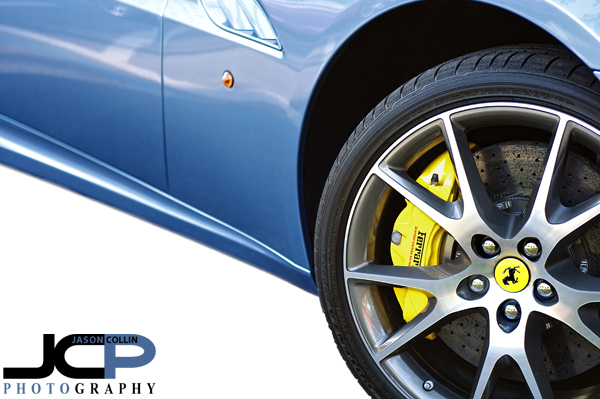
Blue Ferrari California in St. Petersburg Florida white background edit

Blue Ferrari California in St. Petersburg Florida - Nikon D300 Nikkor 50mm lens @ f/2.8 ISO 200 1/125th white background added digitallyDowntown St. Petersburg can be surprisingly good for spotting super cars and other exotics.  For example last night parked right on Beach Drive NE was this blue Ferrari California.  I was actually teaching a DSLR Photography Lesson at the time and used the car as a practice subject.  Even if I was on my own and had all the photographer gear with me I would want, it would have been difficult to produce a shot any better than this due to the neighboring cars and the busy background.  

So in making this quick car photograph I concentrated on the best detail clearly visible, in this case the front wheel and huge ceramic brake rotor and bright yellow brake calliper.  There was still the problem of the street it was parked on being in the foreground (see below image).
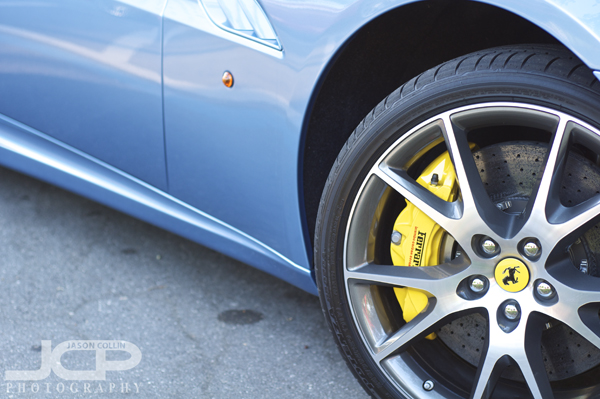
The original photograph straight from RAW conversion to JPG in Aperture 3 of the Ferrari CaliforniaAfter doing my usual editing workflow first in Aperture 3, then Color Efex Pro 3, I sent the photograph into Photoshop CS5 and did some selective edits (sharpening, contrast) before simply removing the car and wheel from the image and putting only that on a new layer.  Then I added yet another new layer under the car layer, painted it white, and boom, produced the best image I could of a car in a very non-ideal location.

Nikon D5000 50mm lens 1-on-1 DSLR Photography Lesson in St. Petersburg Florida with Angela

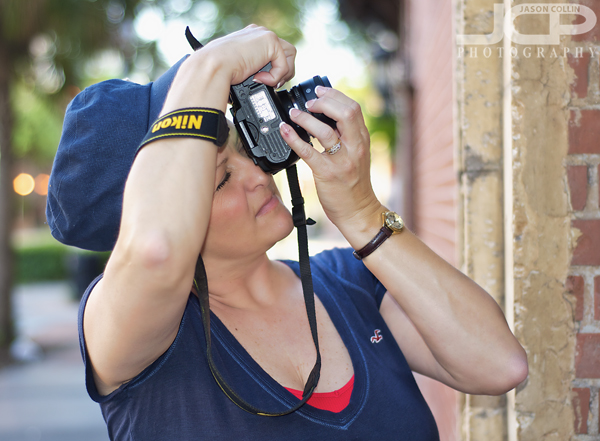
Angela using her new 50mm lens to photograph architecture details in St. PetersburgSince our first 1-on-1 DSLR Photography Lesson in April, for our second of four lessons, Angela brought with her two new not insignificant pieces of gear, a 50mm lens and the Nikon SB-700 Speedlight.  These two items are actually by far the most popular pieces of photography gear that my students have purchased first over the past three years.  They are the least expensive ways to radically change the kinds of photographs one can make.  

We started out the lesson practicing with the 50mm lens where I told Angela I look for the background perhaps even more than the subject when using my 50mm lens because I want the best possible bokeh in my 50mm shots.  Lights of course easily make for cool looking bokeh, but also spectral slight coming through tree branches can create the same look.  

For the last half of our 2-hour lesson Angela put her SB-700 on her Nikon D5000 and we practiced flash portraits at sunset and twilight time as our lesson went until 8:30pm, well after sunset.  By manually setting the power on the SB-700 it was clear that TTL mode was choosing too much power making the subject (in this case, me!) look too "flashed" in the portrait.  Manually setting the power allowed Angela to make a portrait of me that looked much more natural balancing the exposure on the subject with the background exposure so that neither seemed to stand out from the other.

Perhaps by our fourth lesson we will get that flash off the camera for some strobist portraits!

Model headshot edit inspired by Jem the cartoon series

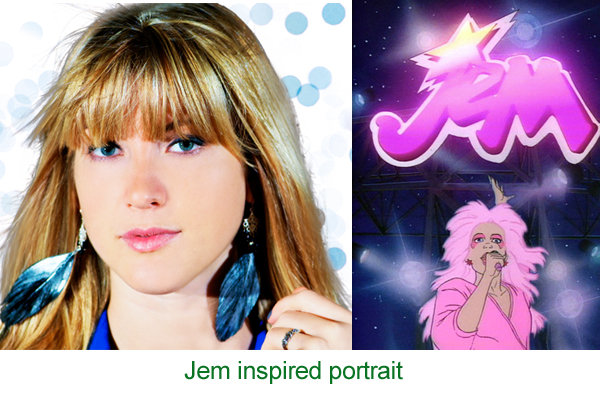
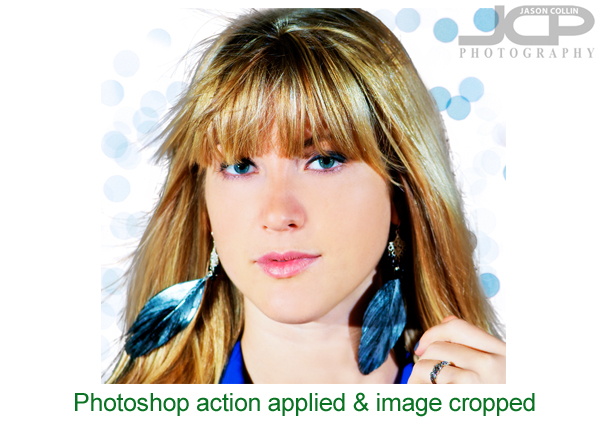
This editing style was inspired by the Jem cartoon series! -- Model: AbbyI was going through Netflix's always woeful list of new releases when I saw that the cartoon series Jem was now available.  I remember watching this cartoon in the 80s because of the vivid pastel colors and style of the animation.  So this afternoon I went about converting one of my own photographs into a Jem-style image.

The above is my final image next to a photo of Jem (source Wikipedia).  Maybe long before I saw Jem in Netflix I had a subconscious thought to convert the shot of model Abby into a Jem-style one as I did not really like how I originally shot the photo, but I kept it lying around for some reason.  

The first thing I did was to load the original image (see above) into Photoshop CS5.  Well, actually before that I did some slight warming to the image in Aperture 3 via Nik Color Efex Pro 3.

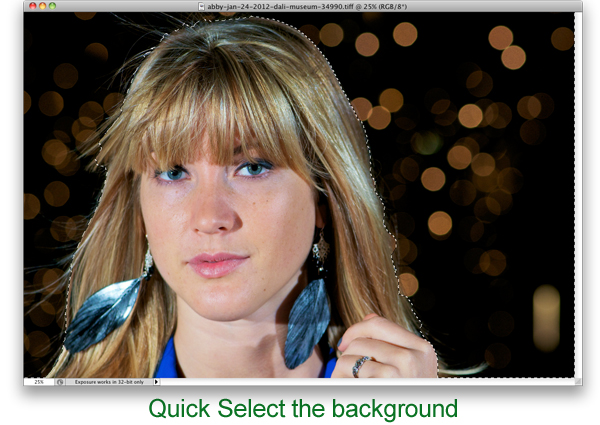
In Photoshop using the Quick Select Tool (W) I selected only the background of the image.  I did then click on Refine Edge to make the border along the hair look more natural and less choppy.

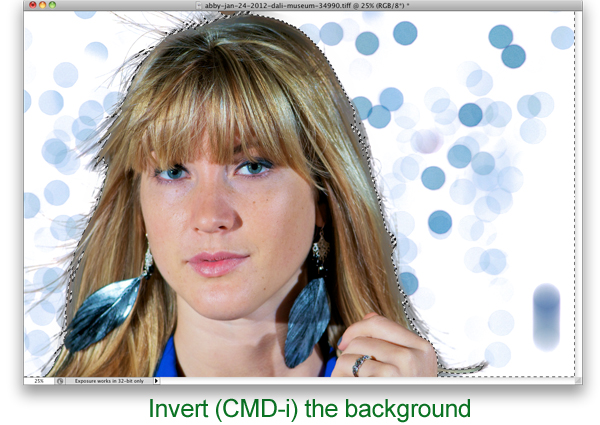
The next step was the key one and really how I thought I would go about making the photograph look more Jem-like and I knew how to do it entirely because of making mistakes in the past with my keyboard shortcut usage.  I always use CMD-SHIFT-I to resize images before I post them on this site and Facebook, etc.  Sometimes I end up hitting just CMD-I which is the Invert command in Photoshop.  Since only the background was selected, only the background became inverted going from black to white and the bokeh from yellow to purple, which to me is much more Jem-like!

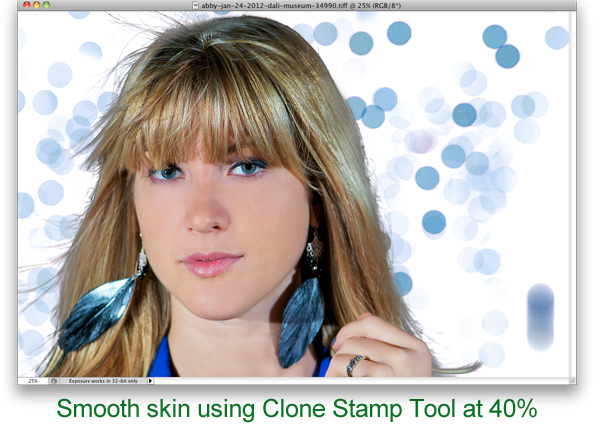
Next to clean up the image and make the model look more like Jem does, I used the Clone Stamp Tool (S) at 40% opacity and just sampled an area then brushed over that same area repeating as skin tone and texture changed for each part of the face.  This is the quickest and easiest way I know of for smoothing skin.  Note, I did not say it was the best, just the quickest and easiest.

To further the smooth and glowing look that Jem has, I used a free Photoshop action available here.  That completed the look.  I did not intend to tightly crop the image, but after all editing was done I thought a tighter crop was a better way to feature the image.  I just hit C in Photoshop to bring up the Crop Tool.  

Try this Jem-style process out on one of your photographs and post a link to the results in the comments below!

Sailboat Dreams in St. Petersburg HDR Fine Art Florida

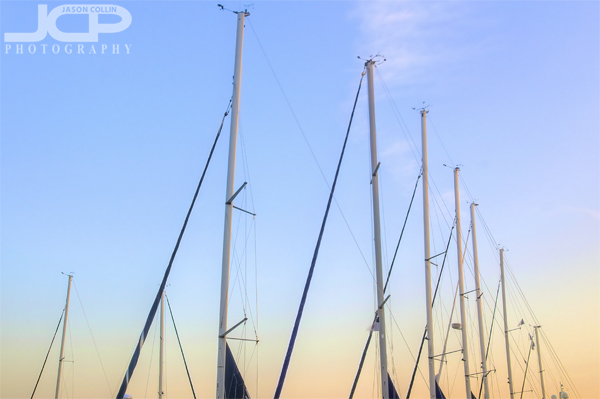
Sailboat masts in downtown St. Petersburg Florida marina - Nikon D300 Tamron 17-50mm @ f/8 ISO 200 9-exposure HDR tripod mounted with cable releaseMy goal when making this photograph was to just show the part of the sailboat that inspires dreams.  A sailboat docked in a marina is not going anywhere, so the collection of hulls is not the part I find inspiring.  My eyes focused on the masts and in particular the long row of masts, allowing one to pick out their own particular sailboat to build a dream on.

This composition also utilized repeating patterns and leading lines.  I chose HDR for the exposure so that detail could be seen in the masts as well as the background sky maximizing the color gradient as twilight approached.

Tampa Model Portfolio Shoot Train Tracks

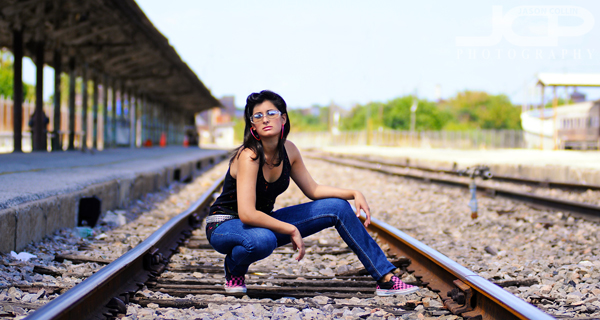
Model Katie posing on train tracks in Tampa - Nikon D300 Nikkor 80-200mm @ f/2.8 ISO 200 1/2000th 

The above image featuring model Katie is from my archives.  A few years ago I was not posting about all the shooting I was doing since at that time I was only a part-time photographer, not the full-time professional I have been the past two+ years.  This train station is near downtown Tampa and we had to ask if it was ok to go out onto the tracks for a few shots.  I do not even think these particular train tracks were in use anymore, or if they are the platform could use some major rennovations!  

Katie was a great model that day in a wardrobe I thought matched the train track setting perfectly.  It was almost effortless to photograph her as she seemed to instinctively know on her own the best pose.

For this shot I got low just below her eye level and chose to make as shallow of a depth of field shot as the location provided.  It turned out to be my favorite of our model portfolio shoot that day.

Bird's Eye View of Tokyo from Shinjuku Nikon Headquarters Black & White

Bird's eye view of Tokyo from Nikon Headquarters in Shinjuku - Nikon D80 Tamron 17-50mm @ f/11 ISO 200 1/40thAll you see above I could navigate precisely on foot, by bike or on train, for this was my home neighborhood for six years.  Yet I never saw it from so high above until the very end of my time there.  If it looks like a maze I can assure you it most certainly was.  Passing through it on foot or by train was a constant series of turns, not just left and right, but also up and down in and out of stations, underground street passages and long, very long tunnels.  By far the fastest way to get from point A to point B was by bike, especially if one had the nerve to ride out in traffic, though by day or night I only ever found a section of about a quarter mile of road in that entire maze to be risky to ride on.

When friends visited it was a point of pride to lead them on a dizzying path through routes that took months to learn.  

I made this photograph from the Nikon Headquarters high up in a skyscraper in Shinjuku, the hub of Tokyo, if not its heart.  I lived a 10-minute walk from here, which in Tokyo walking time, is a short distance.  You could get hands on with every lens Nikon makes and also bring your Nikon DSLR in for a free sensor cleaning if it was still within warranty.  You were also treated to the view you see above.  I of course had to shoot through windows to make this shot.  I erased the spots on the windows visible in the sky portion of the photo.

If you can believe it, this place felt as much like home to me as any place I have ever lived.  

Hillsborough River State Park Relaxing with Canine & Human Friends

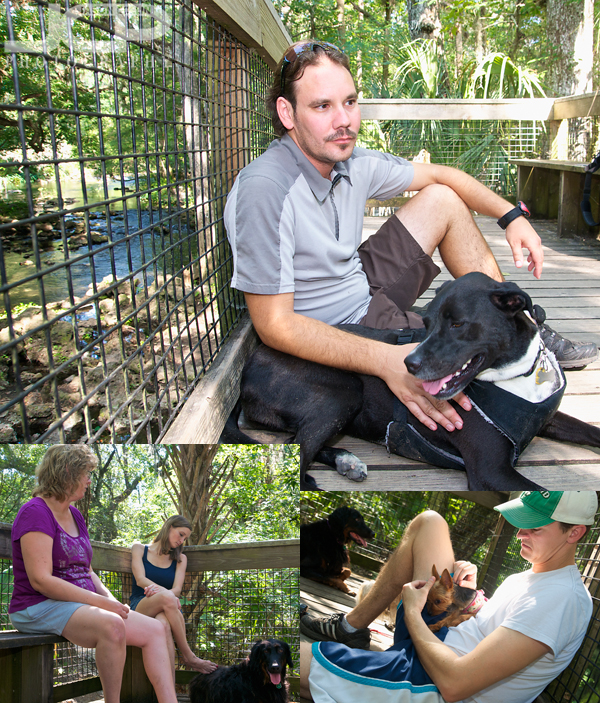
Relaxing at Hillsborough River State Park with canine & human friendsIf you make the effort with your photography, you will be rewarded.  Sometimes that effort just comes from physically lugging your gear with you when you might feel like just leaving it at home or in the parking lot.  I met some canine and human friends yesterday at Hillsborough River State Park, a very dog friendly place that is also one of the best nature experiences in the Tampa Bay area.  Many parks do not allow dogs on boardwalks, but in HRSP they have free reign.  So four people and as many dogs were able to roam the banks of the Hillsborough River, walk through the slash pine forest and later relax hig above the river and just enjoy the view.  

Certainly it was a bit of an effort to carry my Nikon D300, Tamron 17-50mm lens and Nikon SB-600 Speedlight flash on this 2-hour trek, but not that much because I only brought one lens.  I knew ahead of time that the kind of shots I would want to make would require a wide lens.  So to save weight and my back I brought the minimum amount of gear to be able to make those shots.  Why bring the flash?  For fill light in all those three shots above.  They just would not have turned out as well exposed and lit without it.  

So since I made that bit of effort to carry that minimum gear with me, I will have forever visual aids to help me remember that afternoon spent with great canine and human friends.  

My photography tip to you is:  yes, do make the effort to bring your DSLR with you, but help yourself by bringing just the one lens you know you will use for the shots you want to make.

  • Read more photography tips
  • Reserve your own 1-on-1 DSLR Photography Lesson with Jason today!
  • Get great candid portraits of you and your dog!