Photography Tips

Photography Tip - how to spice up oft photographed places

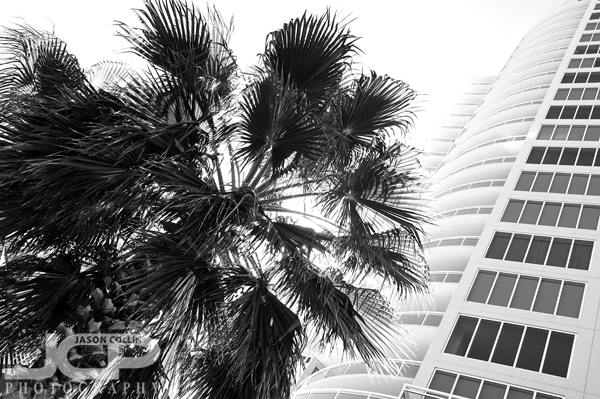
Using a long exposure and converting to black & white to create a nature and architecture shot

I am often teaching 1-on-1 photography lessons in downtown St. Petersburg and have personally photographed almost everything there is around that area.  For my students, this is good because I can show them all my favorite spots.  For me to make an image of some interest for an oft photographed place, sometimes I need to spice up the image.  So for the above shot I went off axis, used a long exposure to blow out the sky, and then finally converted it to black & white using an infrared filter.  I also tried to combine nature and archicture in one image.  These are all photograpy tips to try for when you are at a place you have photographed a lot before, but still want to try and come away with something new.

Let me know what you do to spice up photos of places you have shot in many times before.

Photography Tip - Screen should be the brightest light source in the room

Your computer screen should be the brightest thing in the room when editing digital photos. This is my editing setup as seen in the middle of a sunny afternoon.Editing digital photographs in a consistent environment is the key to getting consistent results.  When editing  photographs during the day, I make sure that my computer screen(s) is the brightest thing in the room.  I close all the blinds tightly and even let my eyes adjust to the ambient light before starting to edit.  This way, if I continue to edit photos from the same set at night, the results will be consistent.  Not only does editing photos in a bright room not allow one to properly see contrast, etc, it also means that if you edit another photo at night in a dark room it is very likely to turn out different.  

So when editing photos during the day be sure and close all the window blinds and make sure your computer screen is the brightest thing in the room.

Photography Tip - use the subject to block the sun in portraits

Photography Tip - when the sun is still strong in the sky, block it with the subject to soften its effect.

Making sunset portraits is a photography skill unto itself.  When shooting on a beach at sunset the conditions are rarely the same.  Thus, not only do you have the usual variables to deal with when shooting on location, and not only is there a ticking clock with the sun getting closer and closer to the horizon, there is also the unknown of how the sun will effect your shot according to its strength.  

If you find the setting sun is overpowering your portrait, then a good photography tip to use is to block most or all of the brightest part of the sun with the subject.  This will reduce lens flare too.  

Of course unless you want the subjects to be silhouettes, you will need a speedlight or two off camera to light them up.  The sun is then used as a backlight source complementing your portrait instead of dominating it if the subjects were not blocking any of the strong light coming from the setting sun.

1-on-1 Canon 5D Mark III DSLR Photography Lesson in St. Petersburg Florida with Dan

Dan and his brand new Canon 5D Mark III during our 1-on-1 photography lesson in downtown St. Petersburg

I met Dan and his brand new Canon 5D Mark III in downtown St. Petersburg for my first 1-on-1 DSLR photography lesson on a weekday evening in awhile.  As you can see things got dark, but that allowed for some cool lighting effects by zooming in while pressing the shutter.  The Canon 5D Mark III is a professional level camera (it does not even have a built in popup flash), so I was surprised to learn it was Dan's first ever DSLR of any kind!  He went right to the top after using point and shoot digital cameras previously.  I like the all in attitude!

No matter what DSLR a student comes to me with, the teaching process is the same.  Likewise, once you learn one DSLR, you can pretty much pick up any other DSLR and shoot in manual mode (well, at least within the same brand fairly easily).  After explaining to Dan how aperture, shutter speed and ISO work together to produce a good exposure we walked along Beach Drive and with the fading light got to test the super high ISO ability of his Canon.  We even used ISO 25,600 for a few very low light moving subject shots where the shutter speed needs to be 1/500th.  I was impressed.

Photography Tip - remember favorite shooting spots with ShootLocal app

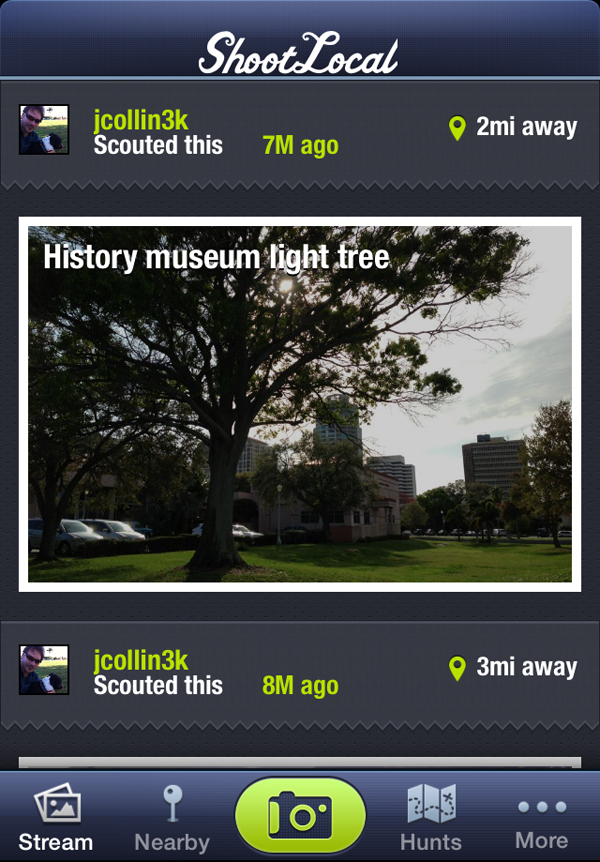
It is very good practice to always have your camera with you, especially when you are in the beginning of your photography experience.  However, toting around a DSLR is not always practical.  I did make this effort though when I first got my DSLR, and I lived in Tokyo then which means public transportation and lots of stairs up and down into and out of train stations.  Still, I did not always have my Nikon with me and I would have to rely on my (faulty) short term memory when I passed by a location I wanted to shoot at.  I could have written an address down, but that is not always easy to do if street signs are not visible from where you are.  Fortunately, cell phones do actually prove to be useful in solving this problem.

I use the app ShootLocal to record the exact location of spots or subjects I want to shoot in the future.  As you can see in the screenshot above, you take a photo with your phone's camera for a visual reference and of course the gps data is recorded with a Google Map pin provided to guide you right back to where you were.  It is very handy to have both visual and map data so you remember why and where you wanted to shoot there.  You can even add notes, etc about the location.  Additionally, locations can be shared publicly and via social media.  

ShootLocal is free and can be found in the App Store.

1-on-1 Nikon D5100 DSLR Photography Lesson 2 with Bob in St. Petersburg Florida

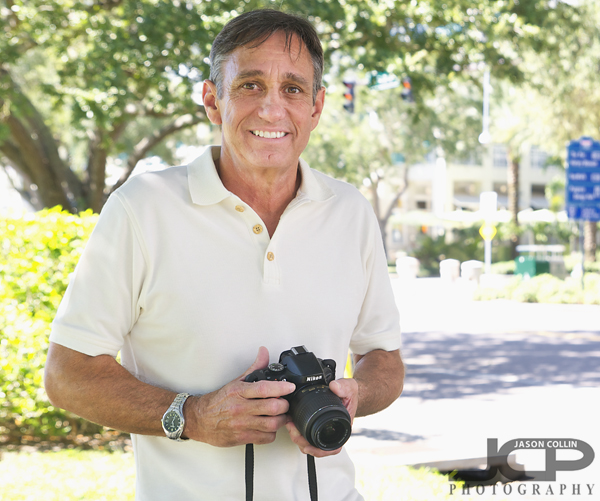
Bob returns with his Nikon D5100 for a second 1-on-1 DSLR photography lesson in downtown St. Petersburg FloridaBob returned to downtown St. Petersburg with his Nikon D5100 for a second 1-on-1 DSLR Photography Lesson after traveling around the southeast of the U.S. this summer.  He told me he kept shooting in manual mode (great) though now had some questions about what and when to change for getting exposure just right.  I have written a photography tip blog post on this very subject, where I state you should change your shutter speed first.  So what happens once you run out of shutter speed (i.e. hit 1/60)?  This is what I went into the most detail on with Bob at the start of our lesson refreshing him on shooting in manual mode and letting him know my thought process for why I adjust shutter speed first, then aperture, then finally ISO if necessary.  In this way, there is never a question of what shutter speed one should use, you use the shutter speed necessary to get the exposure you want.  Then it is a matter of what you need to adjust if you reach the handheld shutter speed limit of 1/60th (for wide angle lenses).  

After that exposure chat we walked around the downtown skyscrapers practicing it.  By having Bob make adjustments while looking through the viewfinder, I was teaching him to be not only efficient in changing settings, but also accurate as the camera has to be pointed at the actual subject in order to get a proper meter reading.  I feel confident with more practice Bob will be able to manually shoot in any lighting conditions and get the exposure he wants.  Now what to do about shutter speed once he gets a tripod . . . ?

Photography Tip - set DSLR Drive Mode to its fastest for action shots

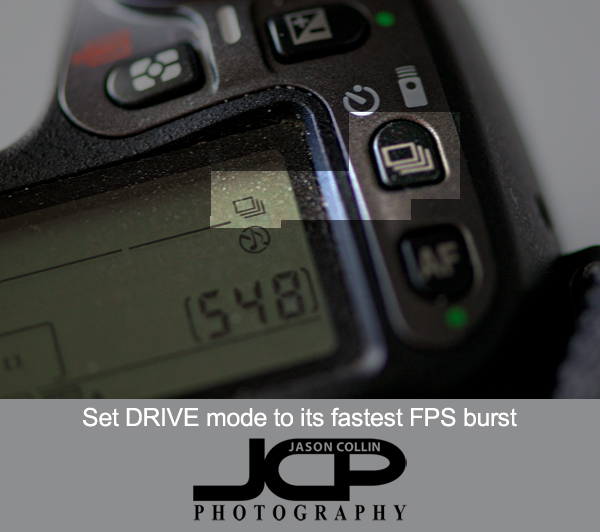
One big differentiator between DSLR models is how many frames per second it can shoot.  10 FPS is fast, 3 FPS is not.  6 FPS is a minimum for being able to produce pretty good action and sports photography shots.  The faster the FPS of your DSLR, the better the odds are for you to capture the best moment in an action sequence.  Knowledge of the action type definitely helps, but ultimately a lot of it comes down to just being lucky enough to have had your DSLR capture that particular frame that looks the best, the coolest, the most dynamic.  

By default most DSLR will be set to take only a single shot no matter how long one holds the shutter down for.  For me, I always leave my Nikon in its faster FPS setting.  In the menus this is usually called the Drive Mode and its symbol looks like a stack of cards (see photo above).  Many DSLRs will have a button for changing this setting on the camera body.  My thinking for leaving it set to the fastest is you never know when something cool will happen and I much rather have 6 chances in a second of capturing it than one.  Of course I do not always hold the shutter down and take 6 FPS.  I have trained my finger to only actuate one shot each time I press the shutter if I only want to make one shot.  I have seen though that many newer model DSLRs have a very sensitive shutter button making this very hard to do.  Maybe those will eventually wear in and not be so sensitive.

If you find you are taking too many shots at once due to a sensitive shutter or other reasons, there is usually a second, less fast FPS setting you can use, without having to go to just a single shot setting.  When photographing the St. Anthony's Triathlon that was the drive mode I was recommended to use in order not to end up with too many shots of each triathlete.   
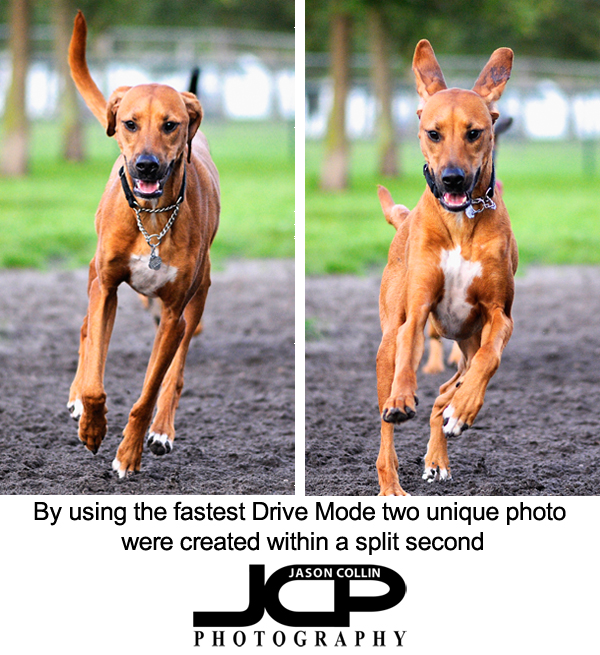
In the above dog photos these were made withing a split second of each other.  If I was trying to specifically get an ears up or ears down shot, I would never rely on having perfect timing to do it with one shot!  For sure I would use the fastest burst mode available.  This is definitely a case where you lock onto your subject and just hold the shutter down and hope the final frozen action of the subject looks good.  You use your skills to set exposure and focus, and to position yourself well relative the moving subject.  This minimizes how much you need to be lucky to capture good action shots.  Get your settings right, put yourself in good position, then hold the shutter down and hope you got just the right moment!  The faster your FPS, the better your chances.