Canon 50D 1-on-1 DSLR Photography Lesson with Ariel in St. Petersburg Florida

Ariel showing good form shooting with her Canon 50D during our DSLR Photography Lesson in St. PetersburgWhen I met Ariel for our first of four 1-on-1 DSLR Photography Lessons in downtown St. Petersburg, she already had good knowledge of photography terms and concepts.  I did not have to tell her that f/5.6 was a larger aperture than f/11 for example.  However, I still began the lesson with my 5-step process for making a well exposed and sharp shot in any shooting conditions.  I believe that having a set way of getting the correct exposure and focus is the key to being able to make consistently satisfying photographs.  After all, if you make a good shot, you want to know why so you can do it again, right?  

Ariel had the Canon 70-200mm f/4 L lens which we used mostly in the second half of our lesson.  I am always cautious about using a lens at its largest aperture as they can be softer than just one stop down.  As the late afternoon began to fade, being able to have a larger aperture like f/4 available was a plus, and we did a direct test to see if any sharpness was lost at f/4 compared to f/5.6.  I did not see any and was thus impressed and for any Canon shooters out there looking for a good, budget 70-200mm lens, this lens sells for about $700, which I consider a great bargain and I recommend it.

I will be meeting Ariel again on Monday to continue our photography lessons!

Photography Tip - Format memory cards to erase photos

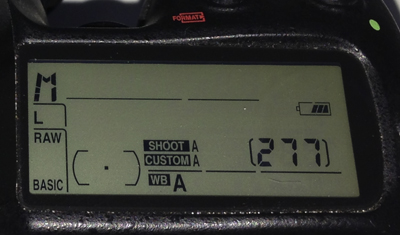
277 photos remaining on this memory card before formattingThis photography tip is about how to get photos off of your memory card once you have downloaded them, and backed them up!  The best and fastest way to do this is to format the memory card right in your camera.  This will virtually instantly delete every photo and also keep the good Nikon (or Canon, etc) formatting on your memory card reducing the chance for errors.  Many Nikon cameras make it very easy to format memory cards.  On my D300 there are two buttons you hold simultaneously (see the red format logo in the photo above).

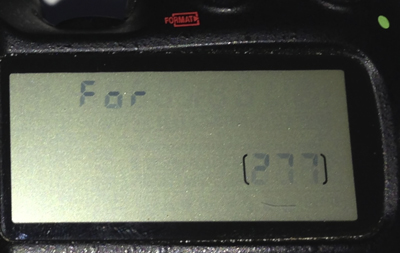
Formatting ready to be executedIf I hold the two format buttons for a few seconds, then the screen will flash "For" indicating the camera is ready to format the memory card.

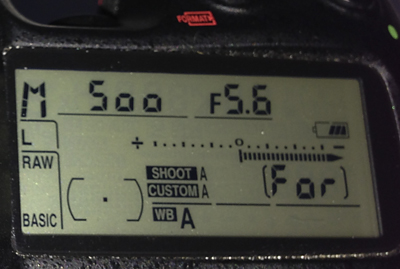
Formatting of the memory card is being done in cameraIf I press both format buttons again that will activate formatting and in the place of the remaining number of photos area of the screen, "For" will briefly be displayed.

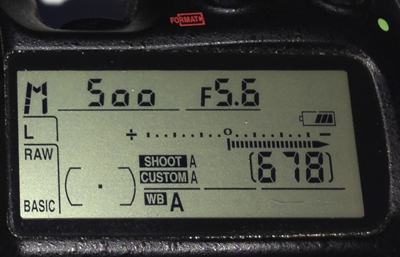
After formatting the memory card there are now 678 shots leftIn this case formatting the memory card took my remaining photo count from 277 to a maximum available 678.  This whole process just takes a few seconds and helps keep your memory cards in good working condition.

Canon T3i 1-on-1 DSLR Photography Lesson in downtown St. Pete Florida with Jeannie

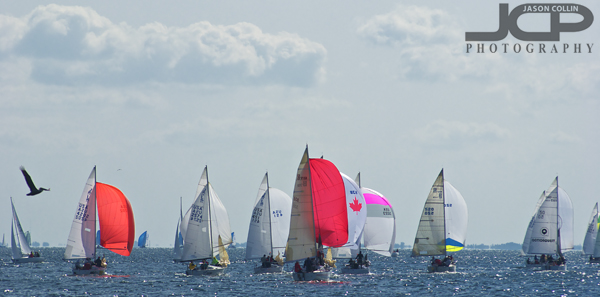
Out on The Pier with Jeannie for our second 1-on-1 photo lesson in St. Petersburg FloridaOn yet another cool Saturday morning I met Jeannie for our second of four 1-on-1 DSLR Photography Lessons in St. Petersburg Florida.  This time we went out to The Pier with her Canon T3i to photograph pelicans, and ended up finding a sailboat race and a fitness competition!  When The Pier closes in May, I will certainly loose out on one of my favorite locations for photography lessons.

A sailboat race like this is just one of the many things that can be photographed from The Pier in downtown St. Petersburg

During this second photography lesson I helped Jeannie reinforce what she learned during our first lesson so that she can become more and more comfortable with just the physical process of getting her camera set eventually allowing for maximum concentration to be placed on composition and creativity rather than the technical aspect of getting a shot.  We made great progress!

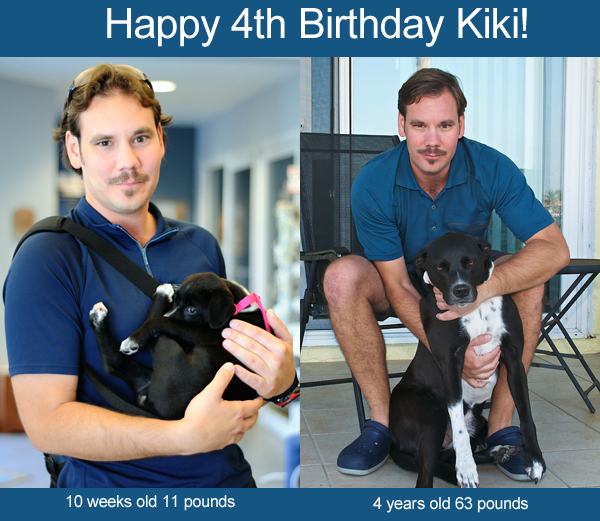
Kiki's 4th Birthday!

Kiki was born on February 19, 2009.  It is hard to believe that it is already 2013 and Kiki is now 4-years old!  On the day she was adopted, as you can see, she almost fit in just one of my hands.  Now she is full grown and hard for me to pick up even with two arms!  No matter how old she gets, I am sure I will think of her as my beloved puppy and call her a puppy, as I still do to this day.  I never feel prouder about anything I have ever done in my life than when someone complements how well behaved, how friendly or how sweet Kiki is.  

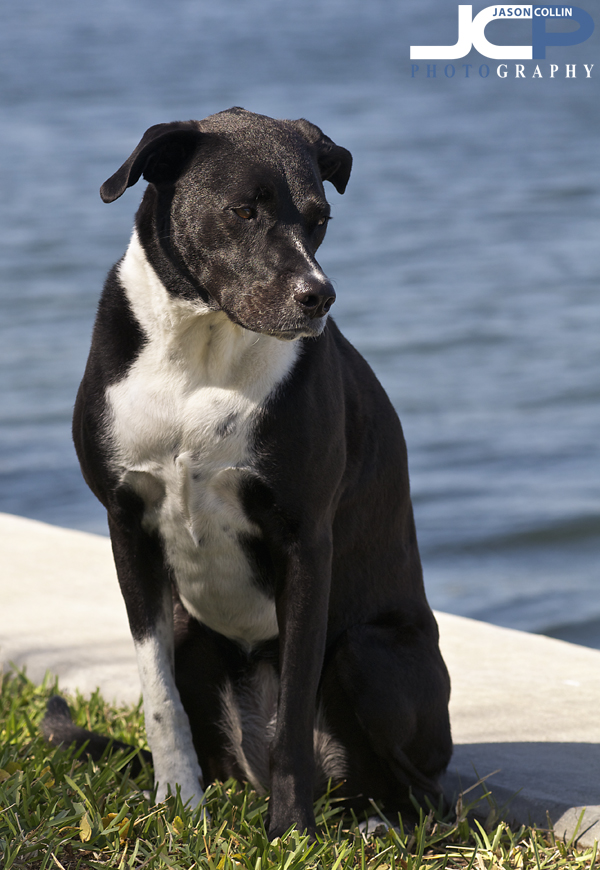
As she has gotten older, though, Kiki has become totally camera shy!

Sunset Vistas Treasure Island Florida Family Portraits February 2013

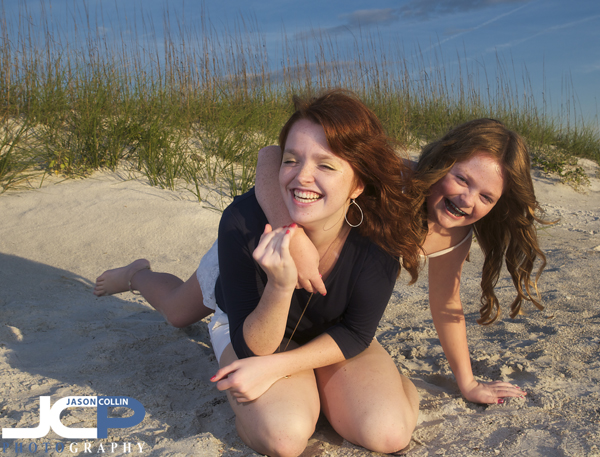
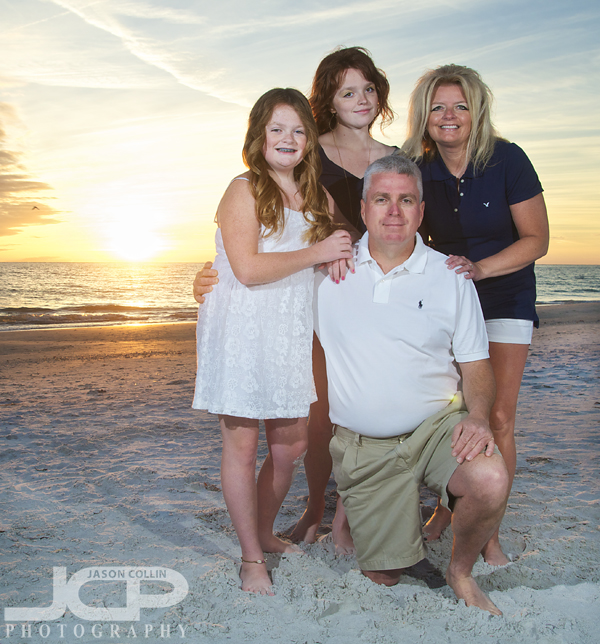
Sisters having fun on Treasure Island Sunset Beach Florida in this candid portrait - Nikon D300 Tamron 17-50mm @ f/11 ISO 200 1/160th - Strobist: SB-800 @ 1/4 power to frame left & SB-600 @ 1/4 power to frame rightTwo families were coming to Florida for a warm winter vacation from their homes in Pennsylvania and contacted me about getting family beach portraits.  They were staying at Sunset Vistas on Treasure Island, Florida and wanted to use the beach their as the backdrop for their family portraits.  I had never been on that stretch of beach before, but I pretty much knew what to expect as virtually all beaches on Treasure Island look the same.  The biggest variable was the weather, but we were pretty lucky.  The day before the shoot was all day rain.  The day after the shoot was arctic and super windy.  Our shoot day was perfectly sunny with only a slight chill in the air.  Lucky!

The above shot was my favorite of the session, featuring two sisters doing as I suggested, just be sisters.  It may end up in my top ten images of 2013 as my favorite candid portrait, we shall see.

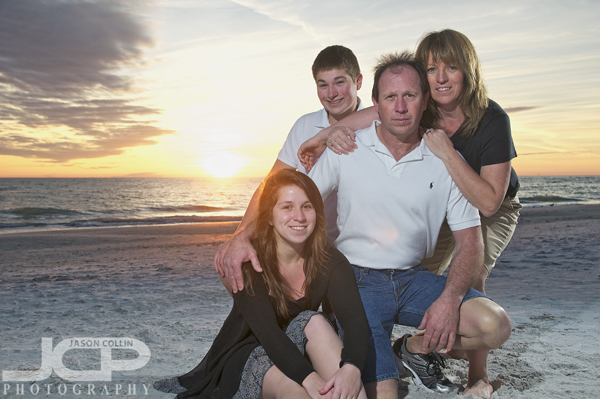
All hands on dad in this family sunset portrait on Treasure Island Florida - Nikon D300 Tamron 17-50mm @ f/6.3 ISO 200 1/160th - Strobist: SB-800 to frame left & SB-600 to frame rightSince there were two families in this hour portrait session, I had to work twice as fast.  There were several group shots with everyone, but otherwise I setup a shot with one family and then quickly had to get the next in place for their turn, all of course with the sun providing its own countdown timer!

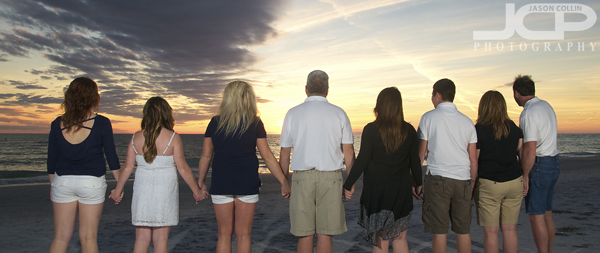
Two families watching the sunset on Treasure Island Florida - Nikon D300 Tamron 17-50mm @ f/5.6 ISO 200 1/100th - Stobist: SB-800 @ 1/1 power frame left & SB-600 @ 1/1 power frame rightThis was my first time to make this type of shot with so many people.  I had to use both speedlights at max power and a relatively large aperture of f/5.6 to light everyone with the sun that low.  

Another great Florida sunset at Treasure Island backlights this family portrait - Nikon D300 Tamron 17-50mm @ f/5.6 ISO 200 1/160th - Strobist: SB-800 to front frame left & SB-600 to rear frame rightEven though each family had four members and were photographed in the same spot and time was ticking away, I still tried to add as much variety between shots as possible, in the case above using a different pose and moving one of the speedlights behind the family.  Compare this shot to the second photo from the top to see how the light changes at sunset time in just 3 minutes.

Curtis Hixon Waterfront Park Panorama Tampa Florida

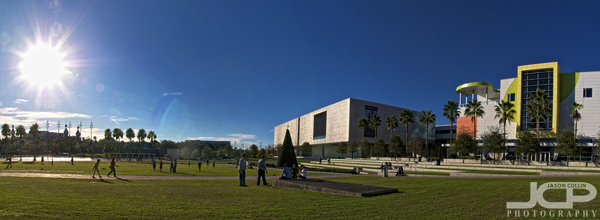
Curtis Hixon Waterfront Park 3-shot panorama - Nikon D300 Tamron 17-50mm @ f/11 ISO 200 1/500thAn oasis of grass and community in downtown Tampa, that is how I would describe Curtis Hixon Waterfront Park.  I made this 3-shot panorama image of the park while waiting for a potrait client to arrive.  On a sunny Thursday afternoon two days after Christmas, the park was full of people enjoying a crisp afternoon by the Tampa waterfront.  I thought I would try a handheld panorama shooting into the sun to see how it would come out.  

Photography Tip - Intro to the Histogram

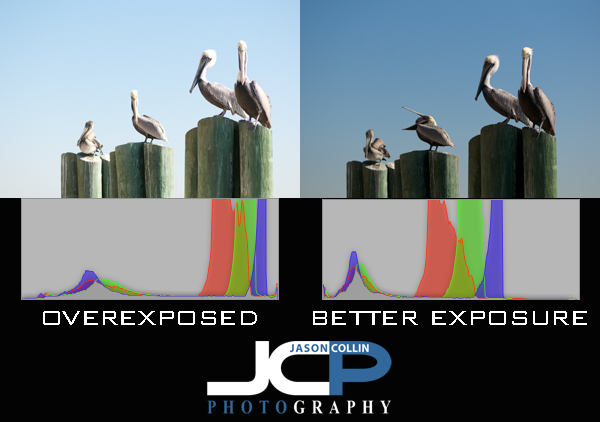
The histogram is a very useful way of checking and confirming exposure, especially out in the field.  It may just look like a bunch of strange squigly lines or a series of jagged mountains, but the histogram tells you exactly what your photograph really looks like in terms of exposure and color.  Since it is often hard to see the camera's review screen in direct sunlight to judge exposure, the histogram for a photographer is like a pilot flying an airplane by using only instruments.  You do not even need to see the photograph to tell if it is a dark image, a bright one, or even a very colorful one.  Essentially, the histogram looks like a rectangular box representing 256 shades of gray or individual colors, or all of them (see the histograms above showing grayscale and RGB color as Aperture 3 represents the histogram).  Black is on the left edge and white is on the right edge.  The more data to the left, means the darker an image is, and potentially underexposed.  The more date to the right means a brighter image, and possibly an overexposed ones.

It is usually best to try and get as much of the data in the center forming a nice mountain, with no spikes at either the far left or far right edges.  In the samples above, the left histogram has most of its data on the right side, indicating the photo is a bright exposure, as can be confirmed by looking at the photo itself.  The histogram on the right is much more balanced and a more even exposure, as seen in the photo showing a bluer sky and better whites in the pelicans' heads.

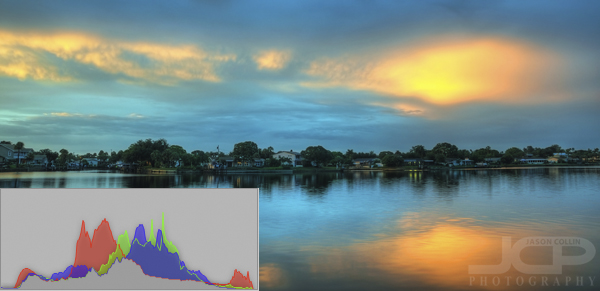
The above image of Smacks Bayou (as seen from just off my back patio) has a histogram that is about as ideal as it can get.  The majority of the data for grayscale and RGB color is in the middle-center and there is a lot of range in those colors.  The taller the peaks, the more of that particular color or shade of gray.  There are also no spikes at either far edge of the histogram.