Nature & Wildlife

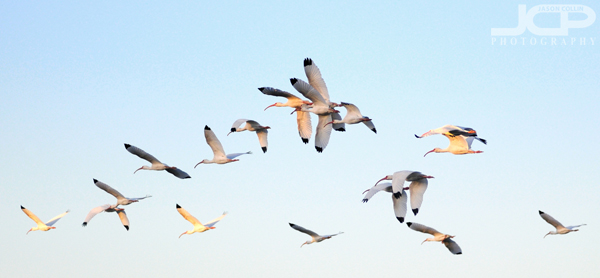
White Ibises in Flight

White Ibis return to their island in Smacks Bayou in Snell Isle Saint Petersburg

I had scouted out a corner of Smacks Bayou a few weeks ago with a seawall close to where pelicans were flying past just above the water.  Since then I had been envisioning making a photo of a pelican doing just that, skimming over the surface of the water made from as close to its eye level as possible without a kayak.  After 650+ shots this late afternoon, and 30 minutes of lying on my stomach right on the concrete seawall, I was not successful in making the shot I had imagined.  

My consolation prize (hardly) was the above photograph of a flock of white ibis heading back to what I call the "bird island of Smacks Bayou."  It will have to do for now.  

The next time I go back to that spot it will be at sunrise to see if light from the opposite corner of the bayou is any better.

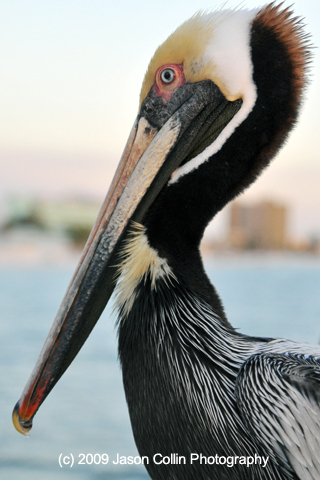
Free iPhone Wallpaper Monday: Brown Pelican

free iPhone wallpaper -- Brown Pelican on the Ft. Myers Beach Pier in Florida

Start your work week off with a free new wallpaper for your iPhone or iPod touch!

Florida is a great place to photograph birds, with or without a 600mm lens.  This brown pelican was only a few feet from me.  Of course brown pelicans are very used to people and always hanging around fisherman in the hopes they will be tossed an unwanted catch!

*********

My full (and growing) collection of iPhone wallpapers can be viewed HERE and are available for just $1 each.

*********

 To Install the wallpaper onto your iPhone:

1. Right-click or control-click on the image.

2. Select “Save as…”

* Mac users:  save the image to a folder or add it to your iPhoto library.

* PC users:   save the image in your “My Pictures” folder.

Connect the iPhone/iPod Touch to your computer and do the following:

1. Launch iTunes, click your iPhone icon on iTunes, choose the Photos tab, and select “Sync photos from:”

2. From the pop-up menu, do one of the following:

* If your using a Mac, choose iPhoto or your Pictures folder.
* If you’re using a PC, choose My Pictures folder.

3. Choose Folder, then choose any folder on your computer that has images.

4. Choose “All photos,” or choose “Selected folders” or “Selected albums” and choose the folders or albums you want to sync.

On your iPhone:

5. Launch the Photos app. Browse through the albums or Camera Roll until you find the picture you wish to use.

6. Select the picture so it is displayed full screen.

7. Tap the icon in the lower left corner of the screen. If you don’t see the icon, single tap the picture to display the menus.

8. A menu pops up with three options: Email Photo, Use as Wallpaper, or Assign to Contact.

9. Choose “Use as Wallpaper"

Thanks to Photo Focus and Scott Bourne for the directions above.

All iPhone/iPod Touch Wallpapers are provided without any technical support. Each image is a 320×480 jpg file. All images are Copyright Jason Collin Photography, All Rights Reserved. You are granted a single use, non-exclusive, perpetual license to install this wallpaper on any iPhone or iPod Touch personally owned by you. This license grants you the right to use the wallpaper for non-commercial/personal use only. You may not re-sell, distribute, print or otherwise publish the image without the express written consent of the Copyright owner: Jason Collin Photography 

Photo Story: Christmas Sunrise over Cape Coral Florida

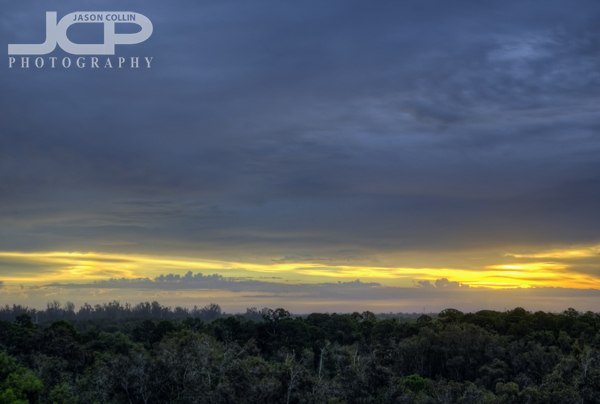
I got up just in time to capture the last bit of sunshine of the Christmas morning sunrise in Cape Coral, Florida.

I saw at least four weather forecasts declaring that Christmas Day was going to be an on and off rainy day in Cape Coral.  I did not expect there to be fleeting dawn light with the sunrise.  I hustled out of my mom's condo with the Nikon D300 in tow and raced to a secret high spot.  Anyone that knows Cape Coral might have a hard time believing this sunrise photograph was made there because Cape Coral is largely a desert-like landscape of poor land made dry by hundreds of canals.  

I was about 10 minutes late from making an actual sunrise photograph of quality.  By the time I clamored up to the top of this viewpoint, there was no more golden orange light reflecting off the clouds, nothing warming the tops of the trees.  

This should be a lesson for me and others:  real photographers do not let semi-incompetent weathermen dictate when they shoot.  I should have at least had my gear prepared and popped my head out the window 45 minutes before sunrise just in case shooting conditions were good.  Another photographer's rule to apply to this situation is that you can never wake up too early to go shooting!

Brief Survey of Weedon Island State Preserve

All I saw on my 90-minute trek through Weedon Island State Reserve was typical Florida forest.

I woke up early (for me) this morning to go to Weedon Island State Preserve because I had been feeling like it has been a long time since I went out and did nature photography by myself.  Now I first visited this preserve a few months ago, but only walked along its winding boardwalk.  I thought this time if I go on one of its trails early in the morning, surely there would be birds to photograph, not to mention the stray armadillo or other critter or insect.  I did not see a single bird nor a single creature of any kind.

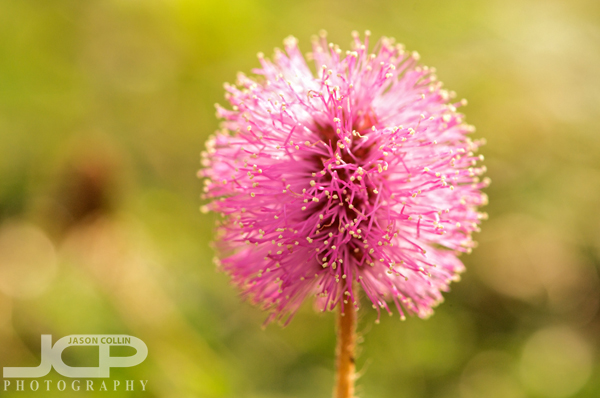
This tiny fluff of color was all that I found in Weedon Island State Park.

I had my macro lens on and ready to discover something tiny and interesting.  The only photograph I made with it all morning was the above tiny pink flower puff, which was the only bit of color (other than green) to be found anywhere in the preserve.  

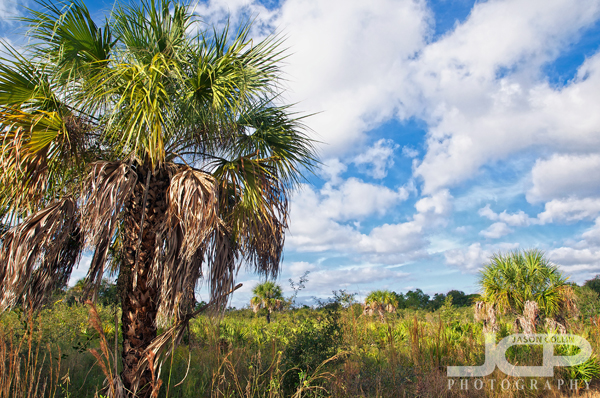
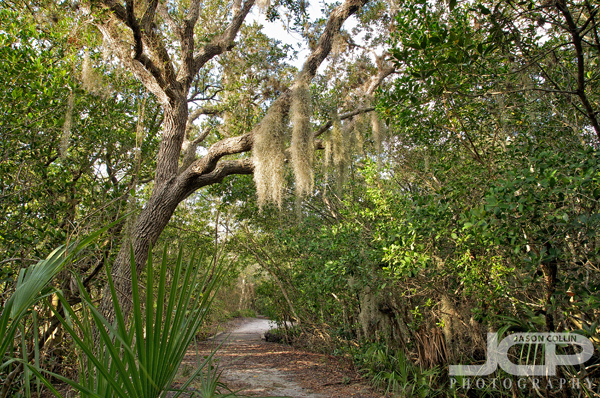
The quintessential Florida nature woods trail view.

For a peaceful stroll in pristine Florida woods and wetlands, Weedon Island State Preserve is a great spot.  The paths and trails are fairly well marked and are long enough to spend hours on.  However, they are definitely for the meditative mind rather than a photographic one.  If I return to this preserve it will be to go cycling on the long roads that run through the preserve, or to just take a nice, undisturbed walk.  I'll save my back some work and leave my DSLR at home.

If you have visited this preserve and photographed any fauna or interesting flora, please let me know in the comments below.

MAP OF WEEDON ISLAND STATE PARK:

 
View Larger Map

Flora & Fauna of J.B. Starkey Wilderness Park

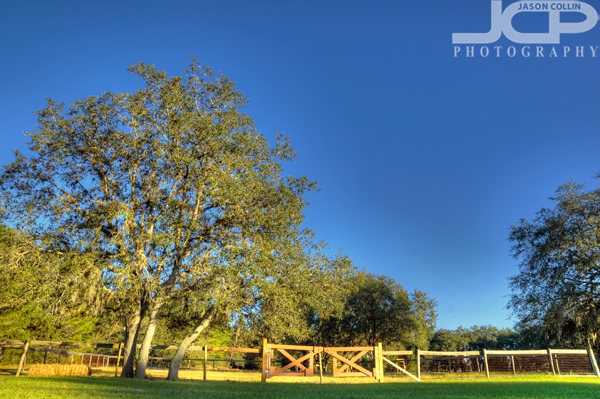
J.B. Starkey Wilderness Park has its own corral for visiting horses.

After a recent and very personal epic fail, I sought the comfort of Nature and the countryside.  Though not so exciting or scenic, Jay B. Starkey Wilderness Park still provided the needed escape I sought.  The park is equipped with a staffed visitor's center that has good maps.  You can camp, bring your horse, bring your dog, and amble all within the park's 8,000 acres.  

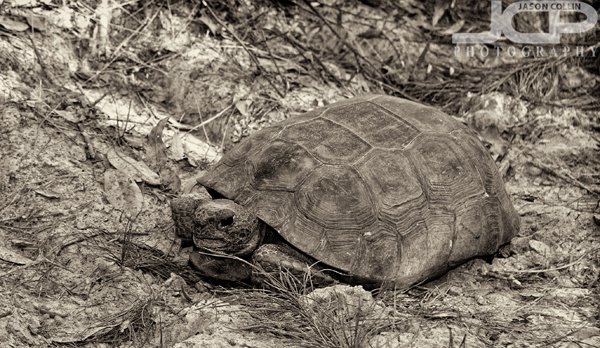
This gopher tortoise was quite the speedster.

The first fellow we met out on the hiking trail was the above gopher tortoise.  It saw us, yet still motored toward us nonplussed.  I met it half-way for a friendly portrait.  I could not help lightly touching its shell.  Its home was just a few steps away actually.  A fine hole it was.

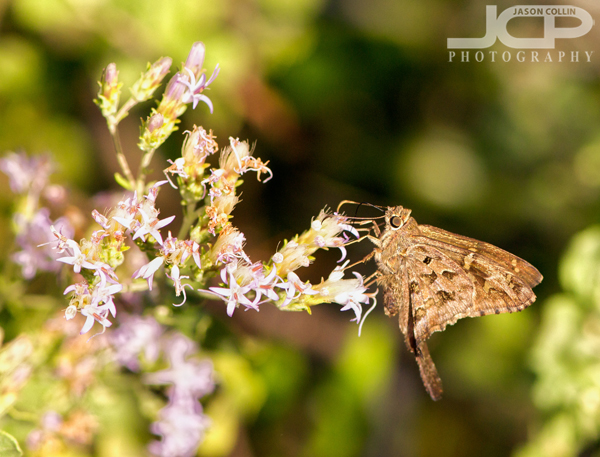
A long-tailed skipper butterfly staying hydrated, as we all should.

I have never photographed a butterfly to my liking, and I still have not.  However, the long-tailed skipper I saw semi-fluttering about was my best attempt to date.  The image was made with a Nikon D300 and Nikkor AF-S 105mm VR micro F2.8G lens, and hot shoe mounted Nikon SB-600 Speedlight.  I used the SB-600 for all shots featured in this post save for the top, HDR image.

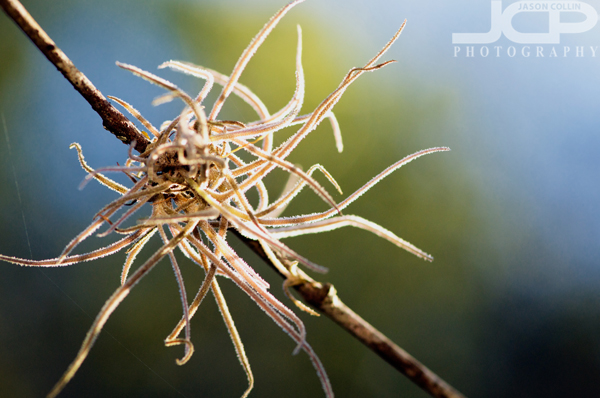
A messy air plant clutching to a twig.

I have long been very interested in and fascinated by the concept and being of air plants.  A plant that can exist clinging to something in mid-air.  Does it wish it could set down roots in the Earth?

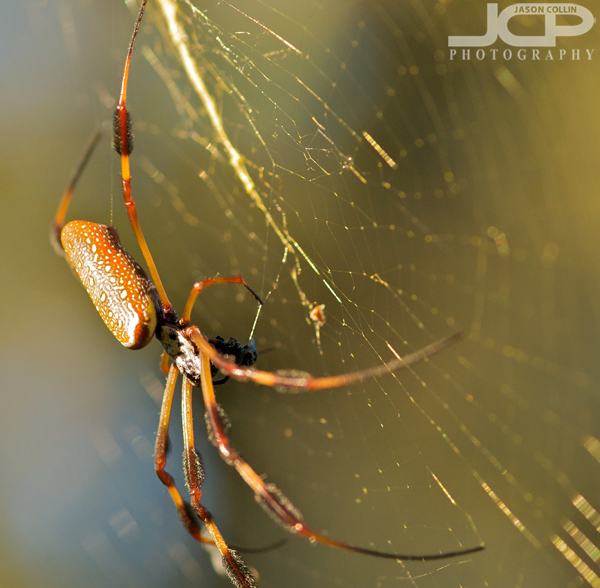
The appropriately named golden-silk spider seen in J.B. Starkey Wilderness Park.

Just like my desire to make a good butterfly photograph, the same goes for spiders.  I still cannot produce an image I want to, but this is perhaps my best spider image to date, which, obviously, is not saying much.  This golden-silk spider was having a late lunch, so I only made two photographs of him not wanting to be that much of a bother.

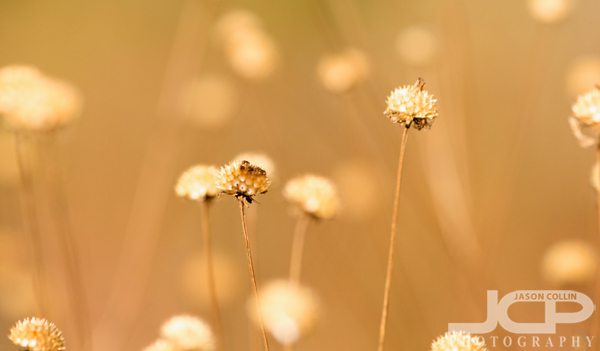
I will one day write a poem based on the bokeh color and DoF in this photograph.

There is nothing purer in photography for me than Nature and wildlife photography.  It fills me with a sense of the old explorers.  If I am able to capture something of fancy, to me it is like bringing home a treasure of pixels.

J.B. Starkey Wilderness Park:

  • 10500 Wilderness Park Boulevard
    New Port Richey, FL 34655
  • hours sunrise to sunset
  • dogs ok!
  • camping - car, primitive & backcountry

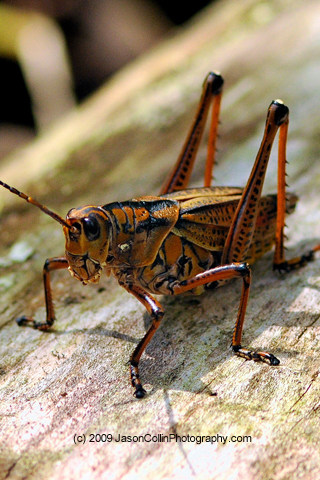
Free iPhone Wallpaper Monday: Big Grasshopper

free iPhone wallpaper -- a big grasshopper at Morris Bridge in Tampa, Florida.

Start your work week off with a free new wallpaper for your iPhone or iPod touch!

This week's free iPhone wallpaper may not be for everyone.  I know my wife cannot even look at it.  However, I feel this big grasshopper is very friendly looking and perhaps even smiling for the camera?  Let me know if you use this wallpaper in the comments below!

*********

My full (and growing) collection of iPhone wallpapers can be viewed HERE and are available for just $1 each.

*********

 To Install the wallpaper onto your iPhone:

1. Right-click or control-click on the image.

2. Select “Save as…”

* Mac users:  save the image to a folder or add it to your iPhoto library.

* PC users:   save the image in your “My Pictures” folder.

Connect the iPhone/iPod Touch to your computer and do the following:

1. Launch iTunes, click your iPhone icon on iTunes, choose the Photos tab, and select “Sync photos from:”

2. From the pop-up menu, do one of the following:

* If your using a Mac, choose iPhoto or your Pictures folder.
* If you’re using a PC, choose My Pictures folder.

3. Choose Folder, then choose any folder on your computer that has images.

4. Choose “All photos,” or choose “Selected folders” or “Selected albums” and choose the folders or albums you want to sync.

On your iPhone:

5. Launch the Photos app. Browse through the albums or Camera Roll until you find the picture you wish to use.

6. Select the picture so it is displayed full screen.

7. Tap the icon in the lower left corner of the screen. If you don’t see the icon, single tap the picture to display the menus.

8. A menu pops up with three options: Email Photo, Use as Wallpaper, or Assign to Contact.

9. Choose “Use as Wallpaper"

Thanks to Photo Focus and Scott Bourne for the directions above.

All iPhone/iPod Touch Wallpapers are provided without any technical support. Each image is a 320×480 jpg file. All images are Copyright Jason Collin Photography, All Rights Reserved. You are granted a single use, non-exclusive, perpetual license to install this wallpaper on any iPhone or iPod Touch personally owned by you. This license grants you the right to use the wallpaper for non-commercial/personal use only. You may not re-sell, distribute, print or otherwise publish the image without the express written consent of the Copyright owner: Jason Collin Photography 
Free iPhone Wallpaper Monday: Cosmos with Bokeh

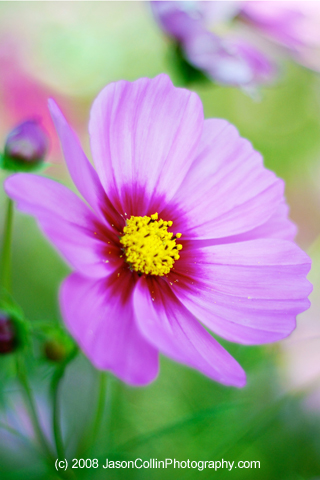
free iPhone wallpaper -- cosmos in Japan with bokeh

Start your work week off with a free new wallpaper for your iPhone or iPod touch!

In the fall of 2008 I was still living in Tokyo, Japan.  The cosmos bloom on a large hill in a park in Tachikawa.  It's quite a site to behold.  I cannot say I was the only photographer out there.  Indeed, there were dozens!  

*********

My full (and growing) collection of iPhone wallpapers can be viewed HERE and are available for just $1 each.

*********

 To Install the wallpaper onto your iPhone:

1. Right-click or control-click on the image.

2. Select “Save as…”

* Mac users:  save the image to a folder or add it to your iPhoto library.

* PC users:   save the image in your “My Pictures” folder.

Connect the iPhone/iPod Touch to your computer and do the following:

1. Launch iTunes, click your iPhone icon on iTunes, choose the Photos tab, and select “Sync photos from:”

2. From the pop-up menu, do one of the following:

* If your using a Mac, choose iPhoto or your Pictures folder.
* If you’re using a PC, choose My Pictures folder.

3. Choose Folder, then choose any folder on your computer that has images.

4. Choose “All photos,” or choose “Selected folders” or “Selected albums” and choose the folders or albums you want to sync.

On your iPhone:

5. Launch the Photos app. Browse through the albums or Camera Roll until you find the picture you wish to use.

6. Select the picture so it is displayed full screen.

7. Tap the icon in the lower left corner of the screen. If you don’t see the icon, single tap the picture to display the menus.

8. A menu pops up with three options: Email Photo, Use as Wallpaper, or Assign to Contact.

9. Choose “Use as Wallpaper"

Thanks to Photo Focus and Scott Bourne for the directions above.

All iPhone/iPod Touch Wallpapers are provided without any technical support. Each image is a 320×480 jpg file. All images are Copyright Jason Collin Photography, All Rights Reserved. You are granted a single use, non-exclusive, perpetual license to install this wallpaper on any iPhone or iPod Touch personally owned by you. This license grants you the right to use the wallpaper for non-commercial/personal use only. You may not re-sell, distribute, print or otherwise publish the image without the express written consent of the Copyright owner: Jason Collin Photography