Nature & Wildlife

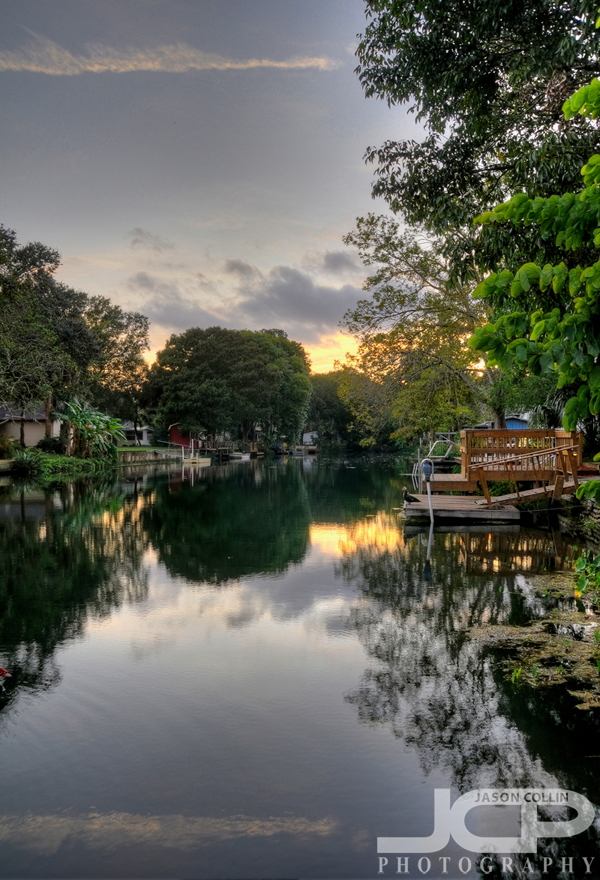
Photo Story: Weeki Wachee River HDR Sunset

Weeki Wachee River HDR Sunset in Hernando County, Florida

We visited old friend Margo at her home in Weeki Wachee yesterday.  Despite heavy rain on the Howard Franklin bridge through to the Veterans Expressway interchange, then heavy traffic into Pasco County, we arrived in plenty of time to capture what sunset there was.  

I was standing on a floating dock to make this image, and was unsure if I could get any kind of sharpness at all in the 5-bracket HDR image I wanted to make.  

This is an extremely peaceful place with many very affordable properties right on the Weeki Wachee River.  The day after the above image was made we rented a flat bottom boat and went up river passing no manatees, unfortunately, but we did get a brief visit from an otter.  I will return to this area soon to photograph a great bayou.  

PURCHASE this image.

Morris Bridge Wilderness Park -- a brief survey

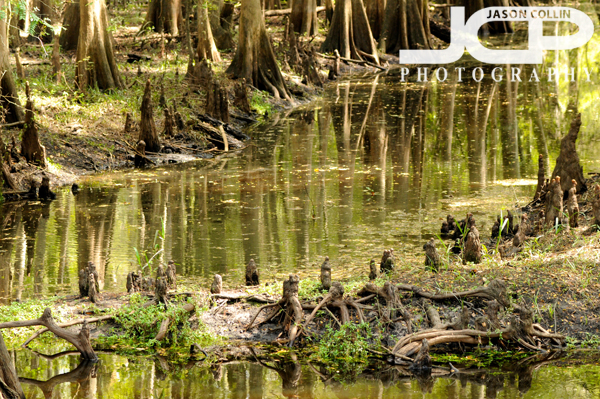
Fingers of the Hillsborough River winding through Morris Bridge Wilderness ParkI had an old memory of seeing otters playing in a river I visited long ago.  It took me a good few minutes to recall exactly where this was.  It was after all 10 years ago.  I traced the road in my mind and eventually I remembered it was just down, down Fletcher Avenue.  Using trusty Google Maps I confirmed it visually and only upon seeing the sign on the road driving up did I think, "of course, it's Morris Bridge Wilderness Park."

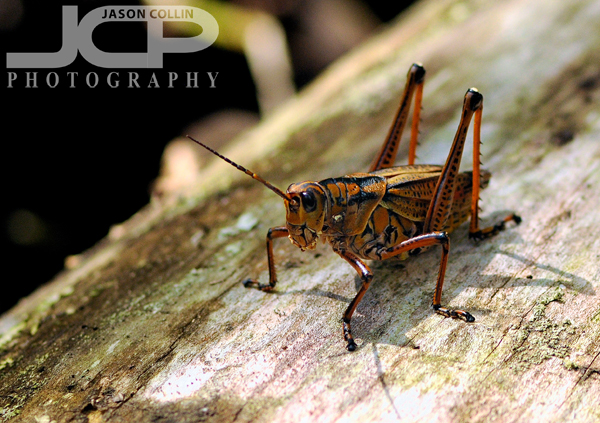
These large grasshoppers move very mechanically.Unfortunately, I saw no otters this time, but a number of other forest river creatures.  The above big grasshopper was not opposed to a lens being relatively close to its face, so I made this photograph using my Nikkor 105mm VR micro f/2.8 G lens and thanked it for its patience afterwards.

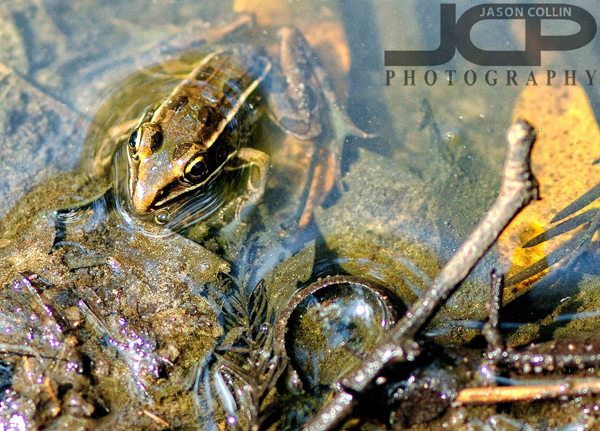
This frog was only half the size of my thumb.

The above small frog was king of this puddle.  It's driving me crazy wondering if that's a bottle cap in the lower part of the shot or not?  Maybe it's an acorn cap actually, I hope.  Walking along the Hillsborough River on the Bald Cypress Trail was only in spots muddy.  Otherwise there was all firm ground on a trail as close to the river as you could get, and at the same level of the water as well.  It makes this park pretty unique to me.

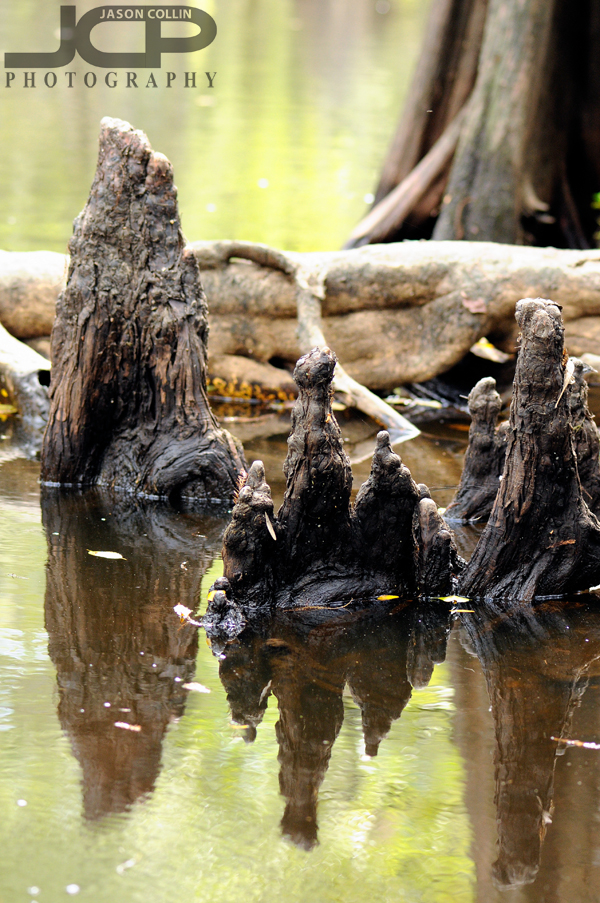
cypress knees look like organic futuristic cities to me

 There was the occasional kayak and canoe passing by.  Otherwise, it was an entirely peaceful hike along the river.  The only potential hazard was when Aya and Kiki nearly stepped right onto a snake!  I saw it at the last minute and grabbed Aya's shoulder letting the snake wake up and quickly and safely slither off.  It was a harmless garter-type snake though.  I wish I would have noticed it sooner so I could have gotten a photo of it!

a lazy baby alligator

It wouldn't be a trip into Florida wetlands without seeing an alligator.  The only one of the day was the above little fella that couldn't even bother to put his legs forward after crawling out of the river.  Aya said that he stared at her with a tough look.  To me he looked friendly.  

While the first part of the trail loop was along the main fingers of the Hillsborough River and narrow and at times muddy, the return portion of the loop was high and dry with views of the surrounding wetlands.  A nice contrast actually that made for a good hour and a half of forest time with a river running through it.

The high & dry return loop of the Bald Cypress Trail

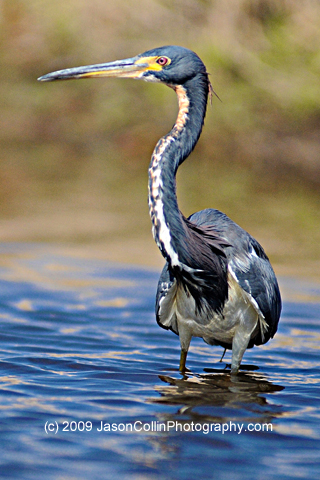
Free iPhone Wallpaper Monday: Tricolored Heron of Myakka River

free iPhone wallpaper -- tricolored heron

Start your work week off with a free new wallpaper for your iPhone or iPod touch!

From the same kayak I photographed the Myakka Alligator, I also made this image of a tricolored heron wading and hunting in the surprisingly shallow Myakka River.  It was a much less nerve racking task photographing this tricolored heron than it was the aforementioned alligator.  Still, I was very pleased to get this opportunity because it was my first time to photograph a tricolored heron.

*********

My full (and growing) collection of iPhone wallpapers can be viewed HERE and are available for just $1 each.

*********

 To Install the wallpaper onto your iPhone:

1. Right-click or control-click on the image.

2. Select “Save as…”

* Mac users:  save the image to a folder or add it to your iPhoto library.

* PC users:   save the image in your “My Pictures” folder.

Connect the iPhone/iPod Touch to your computer and do the following:

1. Launch iTunes, click your iPhone icon on iTunes, choose the Photos tab, and select “Sync photos from:”

2. From the pop-up menu, do one of the following:

* If your using a Mac, choose iPhoto or your Pictures folder.
* If you’re using a PC, choose My Pictures folder.

3. Choose Folder, then choose any folder on your computer that has images.

4. Choose “All photos,” or choose “Selected folders” or “Selected albums” and choose the folders or albums you want to sync.

On your iPhone:

5. Launch the Photos app. Browse through the albums or Camera Roll until you find the picture you wish to use.

6. Select the picture so it is displayed full screen.

7. Tap the icon in the lower left corner of the screen. If you don’t see the icon, single tap the picture to display the menus.

8. A menu pops up with three options: Email Photo, Use as Wallpaper, or Assign to Contact.

9. Choose “Use as Wallpaper"

Thanks to Photo Focus and Scott Bourne for the directions above.

All iPhone/iPod Touch Wallpapers are provided without any technical support. Each image is a 320×480 jpg file. All images are Copyright Jason Collin Photography, All Rights Reserved. You are granted a single use, non-exclusive, perpetual license to install this wallpaper on any iPhone or iPod Touch personally owned by you. This license grants you the right to use the wallpaper for non-commercial/personal use only. You may not re-sell, distribute, print or otherwise publish the image without the express written consent of the Copyright owner: Jason Collin Photography 

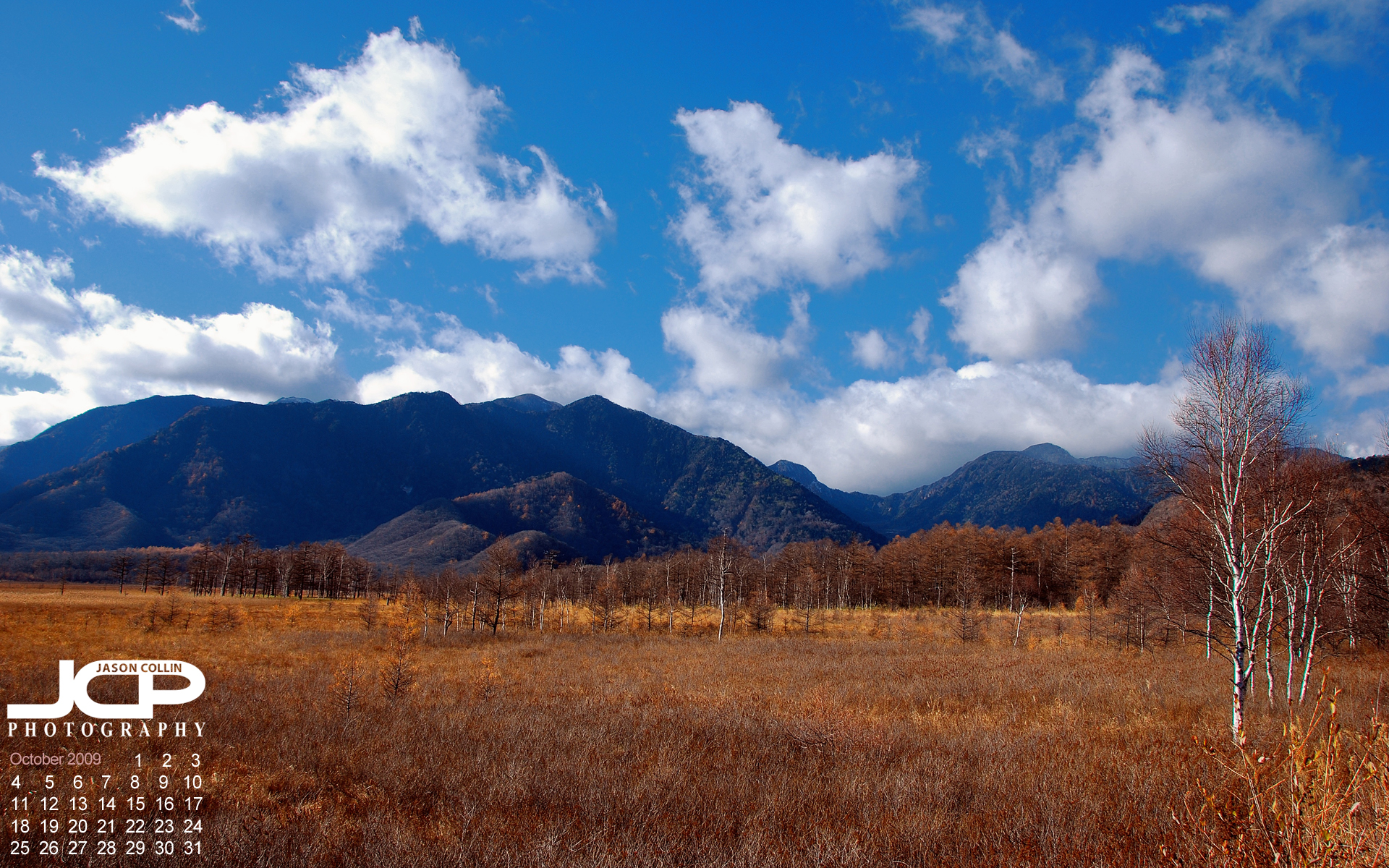
Free Desktop Calendar Wallpaper: Senjogahara Moor Autumn Scenery

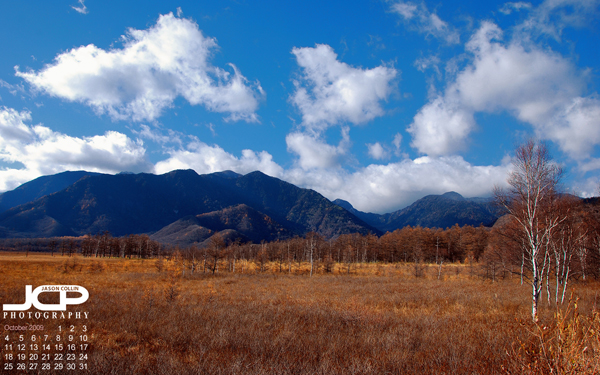
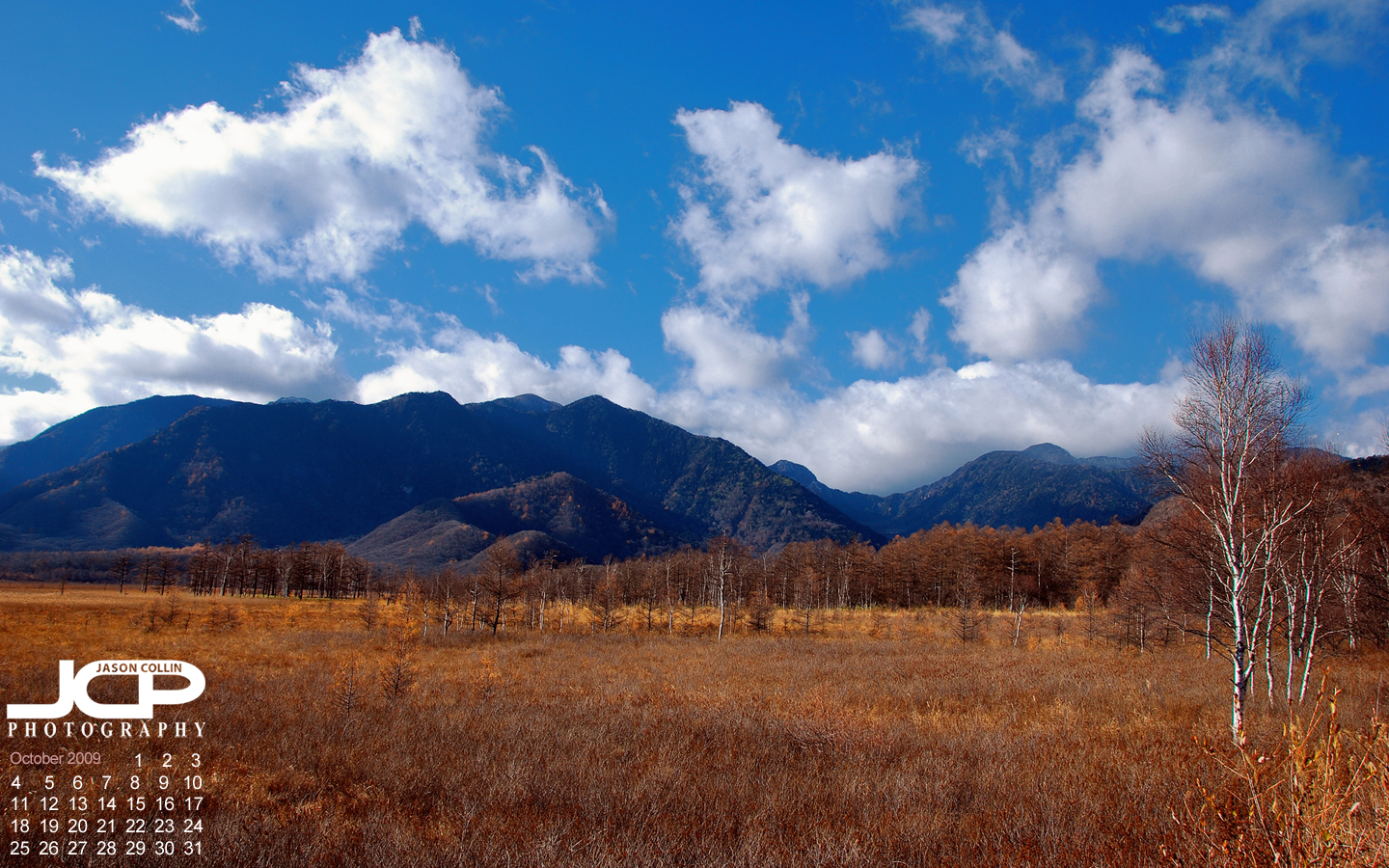
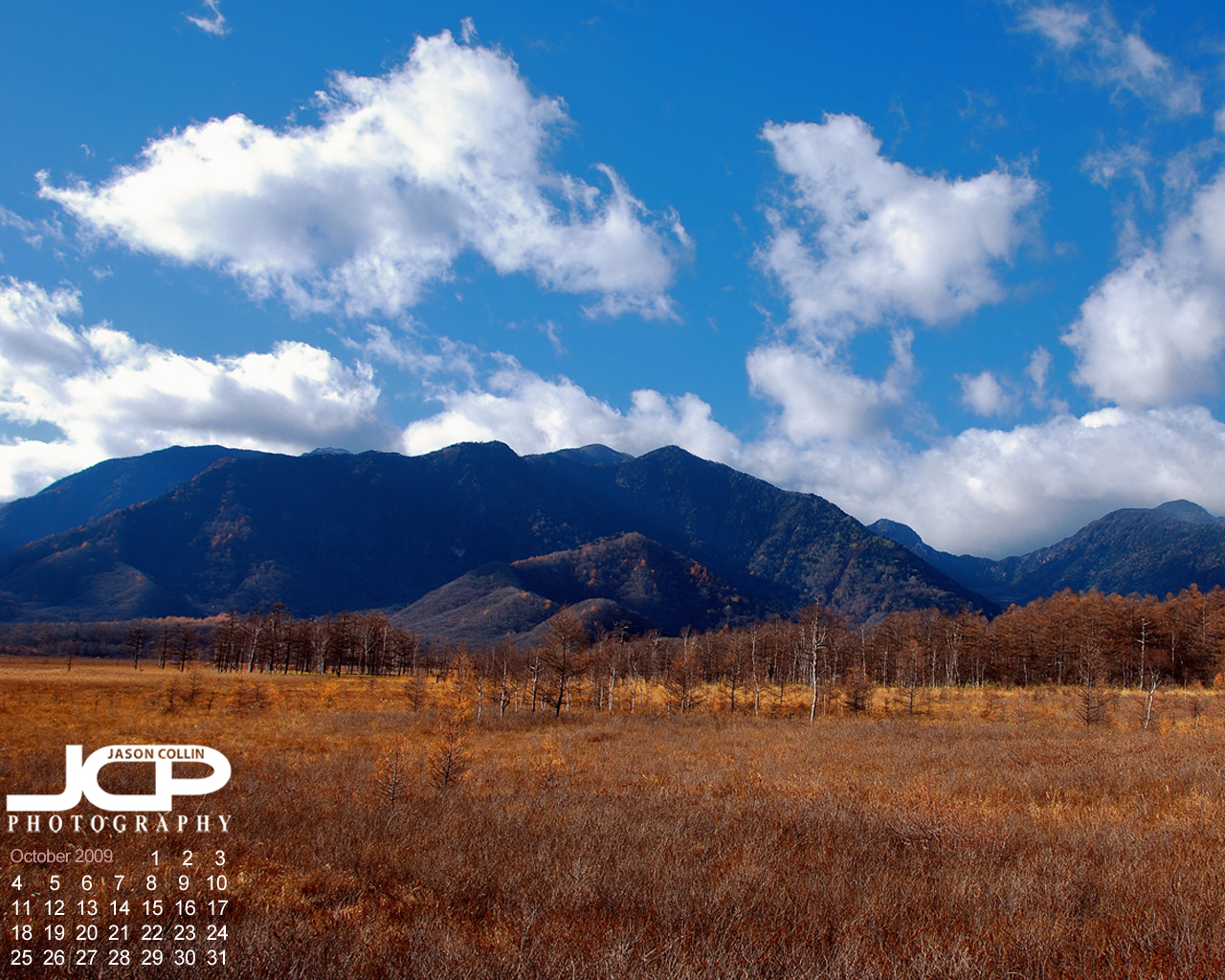
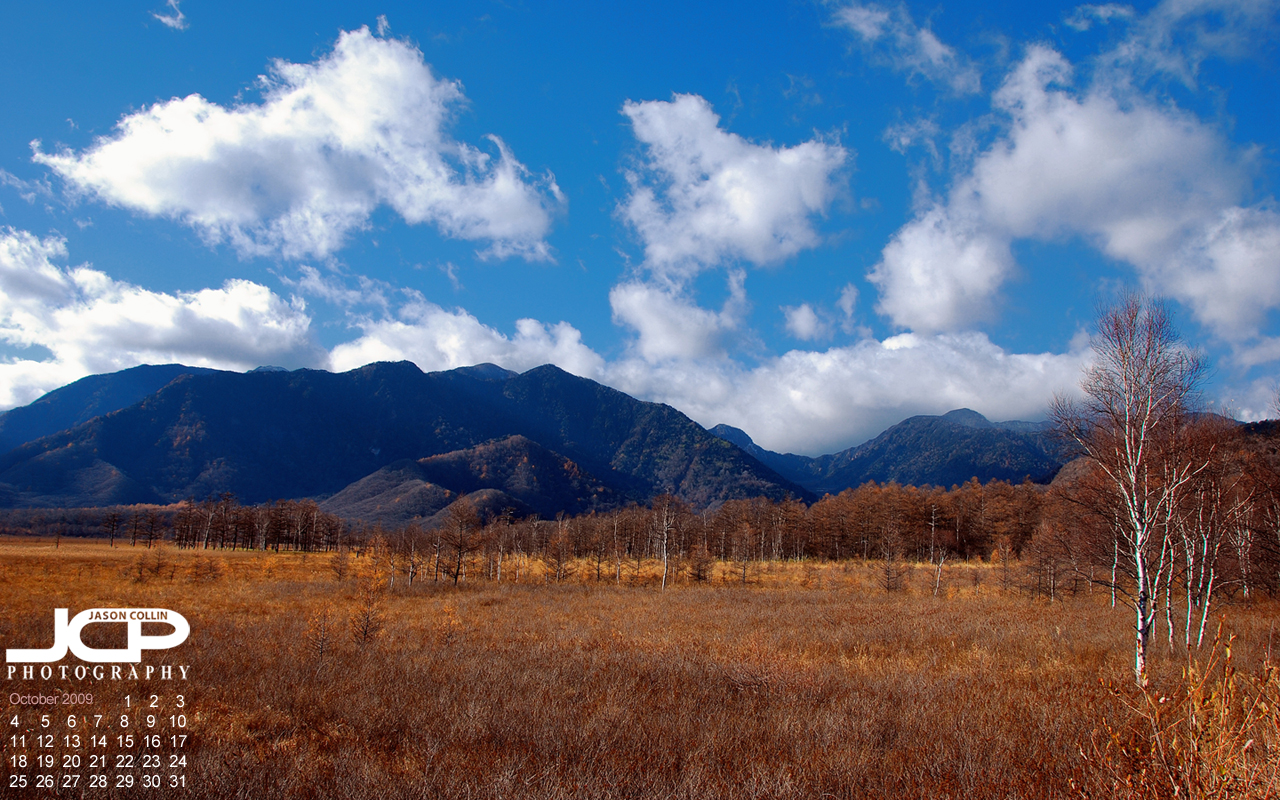
Free desktop calendar wallpaper for October 2009, Senjogahara Moor Japan

Jason Collin Photography is offering the image "Senjogahara Moor in Autumn" as a free* desktop wallpaper calendar. If you use it as your desktop wallpaper, please let me know in the comments.

SIZES:

1920x1200

1440x900

1280x1024

1280x800

This image was made in Tochigi Prefecture in Japan.  It was an unexpected find on a trip to Nikko that was mostly for photographing shrines and temples.  I had never previously seen a moor in Japan before, nor such a wide open space not being used for farmland.


* All desktop wallpapers are provided without any technical support.  All images are Copyright Jason Collin Photography, All Rights Reserved.  Removing the watermark by digital alteration or cropping is prohibited.  You are granted a single use, non-exclusive, perpetual license to install this wallpaper on any personal computer personally owned by you. This license grants you the right to use the wallpaper for non-commercial/personal use only. You may not re-sell, distribute, print or otherwise publish the image without the express written consent of the Copyright owner: Jason Collin Photography

Colt Creek State Park Landscapes & Wildlife

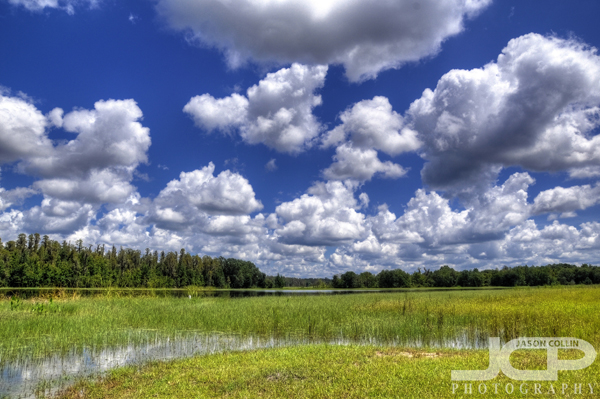
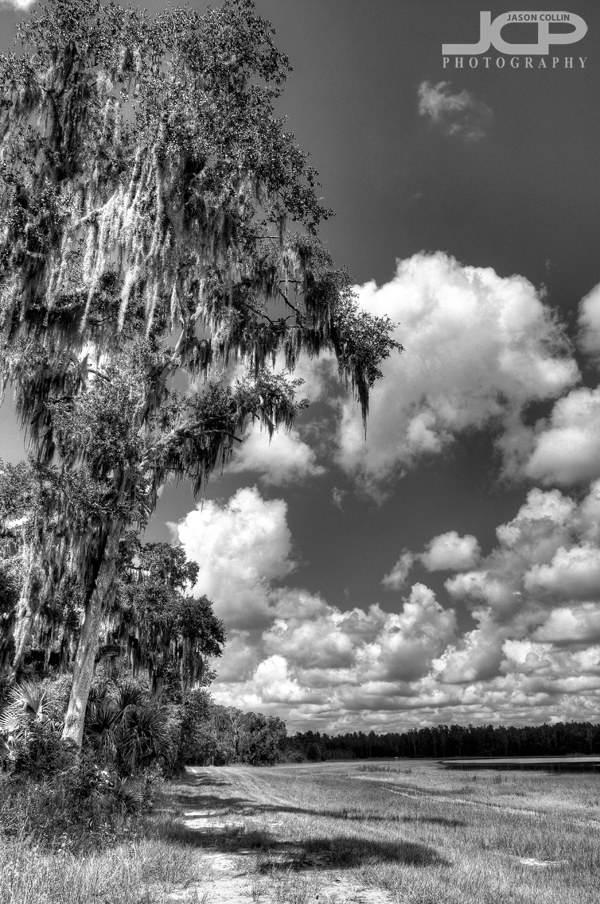
HDR of the expansive wetlands of Colt Creek State Park

I enjoy pulling up Google Maps and looking for new state parks that are manageable day trips from St. Petersburg.  Colt Creek State Park is a very new state park, I imagine the newest, as it just became public land in 2007.  I called a day before visiting to confirm that dogs were allowed on the hiking trails and got a prompt call back to my voicemail stating pets are ok.  Horseback riding is allowed in the park as well.

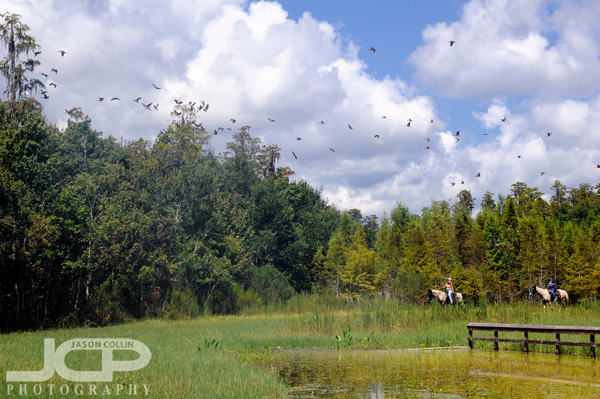
these riders kindly encouraged the birds into flight for me

The park's website mentioned that some hiking trails can easily get flooded.  This was the case as we visited the park at the height of the rainy season.  The horses pictured above seemed to enjoy traipsing through the foot deep water, but we were limited in which trails we could brave.  The horseback riders, as they circumnavigated the lake, spooked a flock of ibises from one end to the other.  I tried to get back in position to capture these mini-migrations.

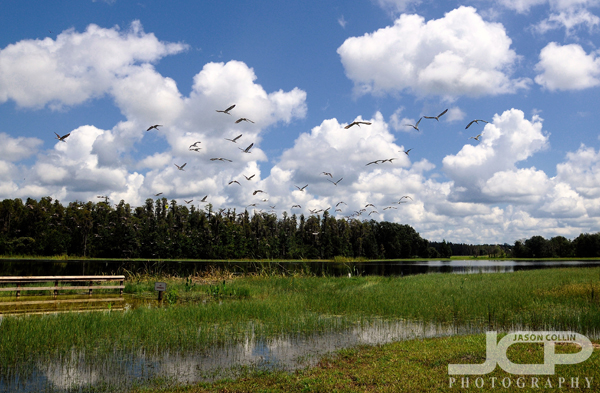
a flock of mostly white ibises disturbed by horseback riders flew back and forth

Despite the strong Florida mid-day sunshine, I was pleased with the landscape shots I was able to make, both in high speed shots, like the flock of birds immediately above, and the HDR shots like the lead photo.  There are primitive campgrounds in this park that would make great staging areas for sunrise and sunset landscape photography.  Once the temperatures go down and the mosquitoes take the fall and winter off, we will return and camp so as to be able to photograph the full beauty this park has to offer.

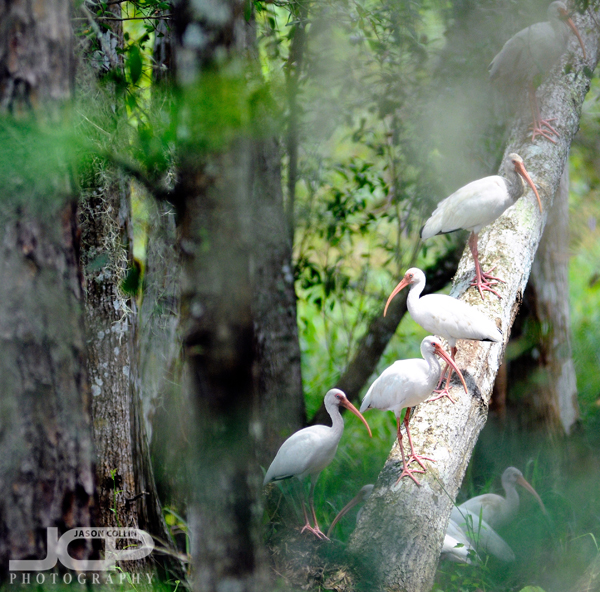
Likewise for the wildlife.  Again, even in mid-day, there were plenty of white ibis wading and feeding, as well as some hiding out in the woods.

white ibis do not mind crooked perches apparently

Besides the flocks of white ibis, there were a few other stray birds I could not quite see well enough to identify.  While walking through a forest fire road, a good sized deer did not mind us interrupting her foraging for awhile.  I say for awhile because as soon as I snapped on the old 80-200mm lens, she pranced off into the dense wood.  Even though I did have my macro lens with me, I did not get around to photographing either of the two peculiar spider specimens we came across.  Lazy for a photographer, I know, but the heat!

I look forward to returning to this mostly unknown state park and seeing what it has to offer in cooler times.

only a small portion of the 12 miles of trails seemed to be dry

Free iPhone Wallpaper Monday: Myakka Alligator

Start your work week off with a free new wallpaper for your iPhone or iPod touch!

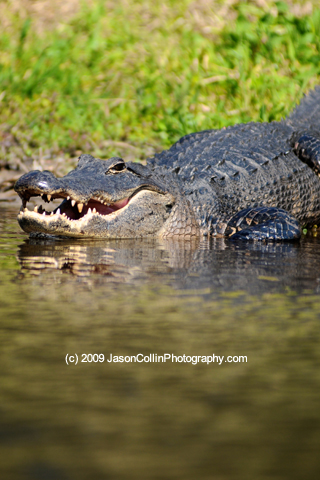
This alligator was photographed in Myakka River State Park.  It was the most thrilling photography I have ever made.  Why?  Because I was in a kayak just a few feet away from this smiling (?) alligator.  It was also my very first time to shoot from a kayak and I was quite concerned about dropping my Nikon D300 and Nikkor AF ED 80-200mm F2.8D lens right into the shallow Myakka River.  

After a short time, however, I was able to develop a technique of paddling toward a subject and then just letting the kayak drift past it while I wielded the D300.  I had no idea I had actually gotten so close to the alligator this time though because I was intent on getting the low angle and straight horizon I wanted.

As mentioned before, the water was really shallow, which caused a harmless accident a little bit later.  This alligator eventually slid into the river and as I paddled to see where she or he had gone off too I actually paddled the kayak right over it!  At first I felt great fear as I saw only an alligator leg over the side of the kayak and thought, will it seek revenge?  But I never even saw it surface again until I was well far away.  I related this story to the kayak rental staff person, and she told me not to worry and that this happens all the time and the alligator was no worse for wear from such an incident.  I was relieved.

*********

My full (and growing) collection of iPhone wallpapers can be viewed HERE and are available for just $1 each.

*********

 To Install the wallpaper onto your iPhone:

1. Right-click or control-click on the image.

2. Select “Save as…”

* Mac users:  save the image to a folder or add it to your iPhoto library.

* PC users:   save the image in your “My Pictures” folder.

Connect the iPhone/iPod Touch to your computer and do the following:

1. Launch iTunes, click your iPhone icon on iTunes, choose the Photos tab, and select “Sync photos from:”

2. From the pop-up menu, do one of the following:

* If your using a Mac, choose iPhoto or your Pictures folder.
* If you’re using a PC, choose My Pictures folder.

3. Choose Folder, then choose any folder on your computer that has images.

4. Choose “All photos,” or choose “Selected folders” or “Selected albums” and choose the folders or albums you want to sync.

On your iPhone:

5. Launch the Photos app. Browse through the albums or Camera Roll until you find the picture you wish to use.

6. Select the picture so it is displayed full screen.

7. Tap the icon in the lower left corner of the screen. If you don’t see the icon, single tap the picture to display the menus.

8. A menu pops up with three options: Email Photo, Use as Wallpaper, or Assign to Contact.

9. Choose “Use as Wallpaper"

Thanks to Photo Focus and Scott Bourne for the directions above.


All iPhone/iPod Touch Wallpapers are provided without any technical support. Each image is a 320×480 jpg file. All images are Copyright Jason Collin Photography, All Rights Reserved. You are granted a single use, non-exclusive, perpetual license to install this wallpaper on any iPhone or iPod Touch personally owned by you. This license grants you the right to use the wallpaper for non-commercial/personal use only. You may not re-sell, distribute, print or otherwise publish the image without the express written consent of the Copyright owner: Jason Collin Photography

Free Great Blue Heron iPhone Wallpaper


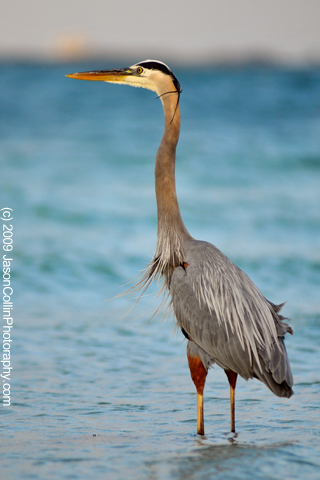
This photograph of a great blue heron was made near Sanibel Island's pier in February 2009. I am providing this iPhone wallpaper for free. It is my way of saying thank you for visiting Jason Collin Photography.

All iPhone/iPod Touch Wallpapers are provided without any technical support. Each image is a 320×480 jpg file. All images are Copyright Jason Collin Photography, All Rights Reserved. You are granted a single use, non-exclusive, perpetual license to install this wallpaper on any iPhone or iPod Touch personally owned by you. This license grants you the right to use the wallpaper for non-commercial/personal use only. You may not re-sell, distribute, print or otherwise publish the image without the express written consent of the Copyright owner: Jason Collin Photography

To Install the wallpaper onto your iPhone:

1. Right-click or control-click on the image.

2. Select “Save as…”

* Mac users:  save the image to a folder or add it to your iPhoto library.

* PC users:   save the image in your “My Pictures” folder.

Connect the iPhone/iPod Touch to your computer and do the following:

1. Launch iTunes, click your iPhone icon on iTunes, choose the Photos tab, and select “Sync photos from:”

2. From the pop-up menu, do one of the following:

* If your using a Mac, choose iPhoto or your Pictures folder.
* If you’re using a PC, choose My Pictures folder.

3. Choose Folder, then choose any folder on your computer that has images.

4. Choose “All photos,” or choose “Selected folders” or “Selected albums” and choose the folders or albums you want to sync.

On your iPhone:

5. Launch the Photos app. Browse through the albums or Camera Roll until you find the picture you wish to use.

6. Select the picture so it is displayed full screen.

7. Tap the icon in the lower left corner of the screen. If you don’t see the icon, single tap the picture to display the menus.

8. A menu pops up with three options: Email Photo, Use as Wallpaper, or Assign to Contact.

9. Choose “Use as Wallpaper"

Thanks to Photo Focus and Scott Bourne for the directions above.